PDF to Visio Converter
LayerBack converts a diagram from a selected PDF page into an editable Visio (VSDX) file with native shapes, connectors and text. The same conversion also produces PPTX, draw.io XML and SVG files.
Drop a diagram image here, click to browse, or paste from clipboard
No sign-in needed — the preview is free. Downloads use 10 credits.
Real conversion example
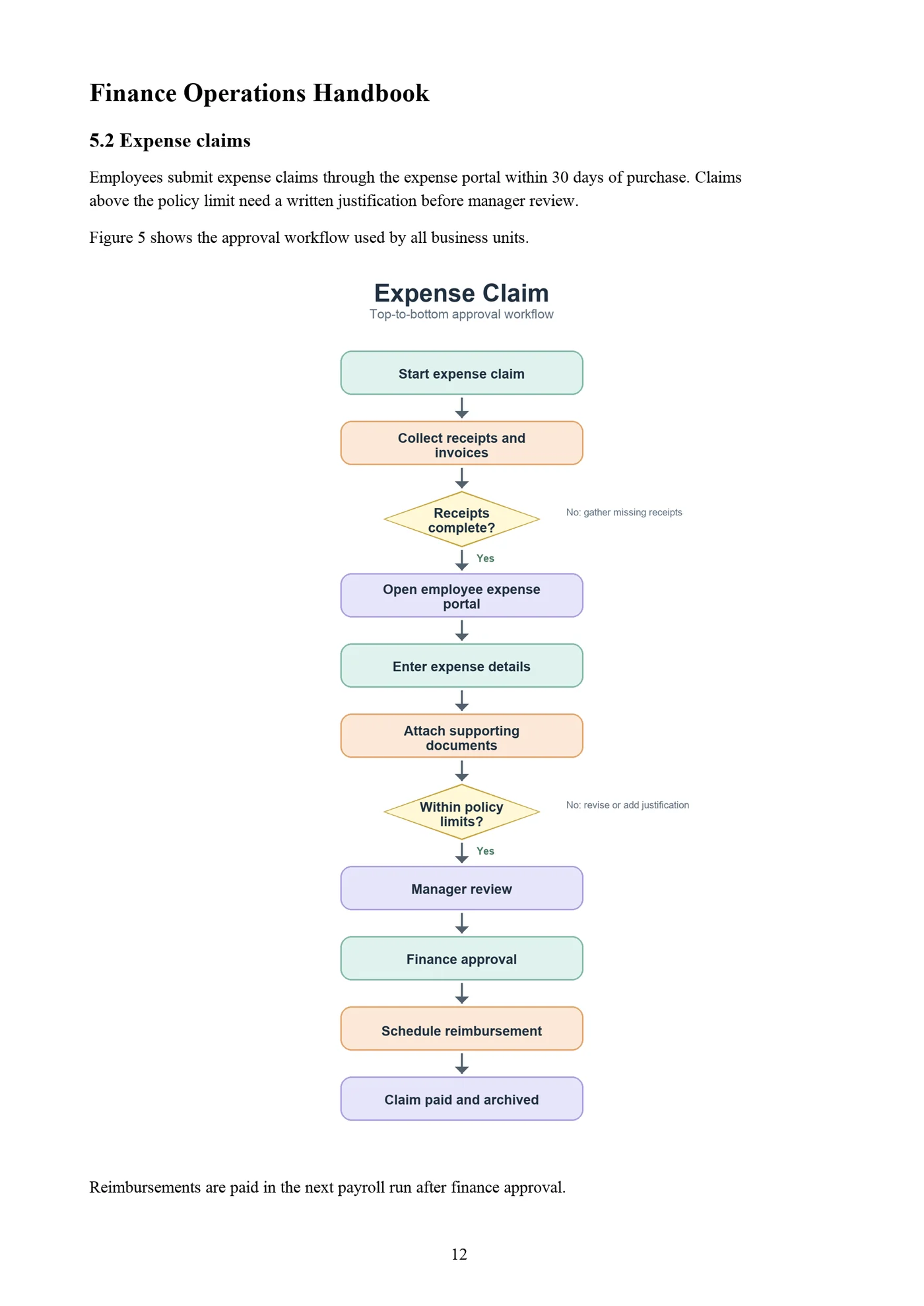
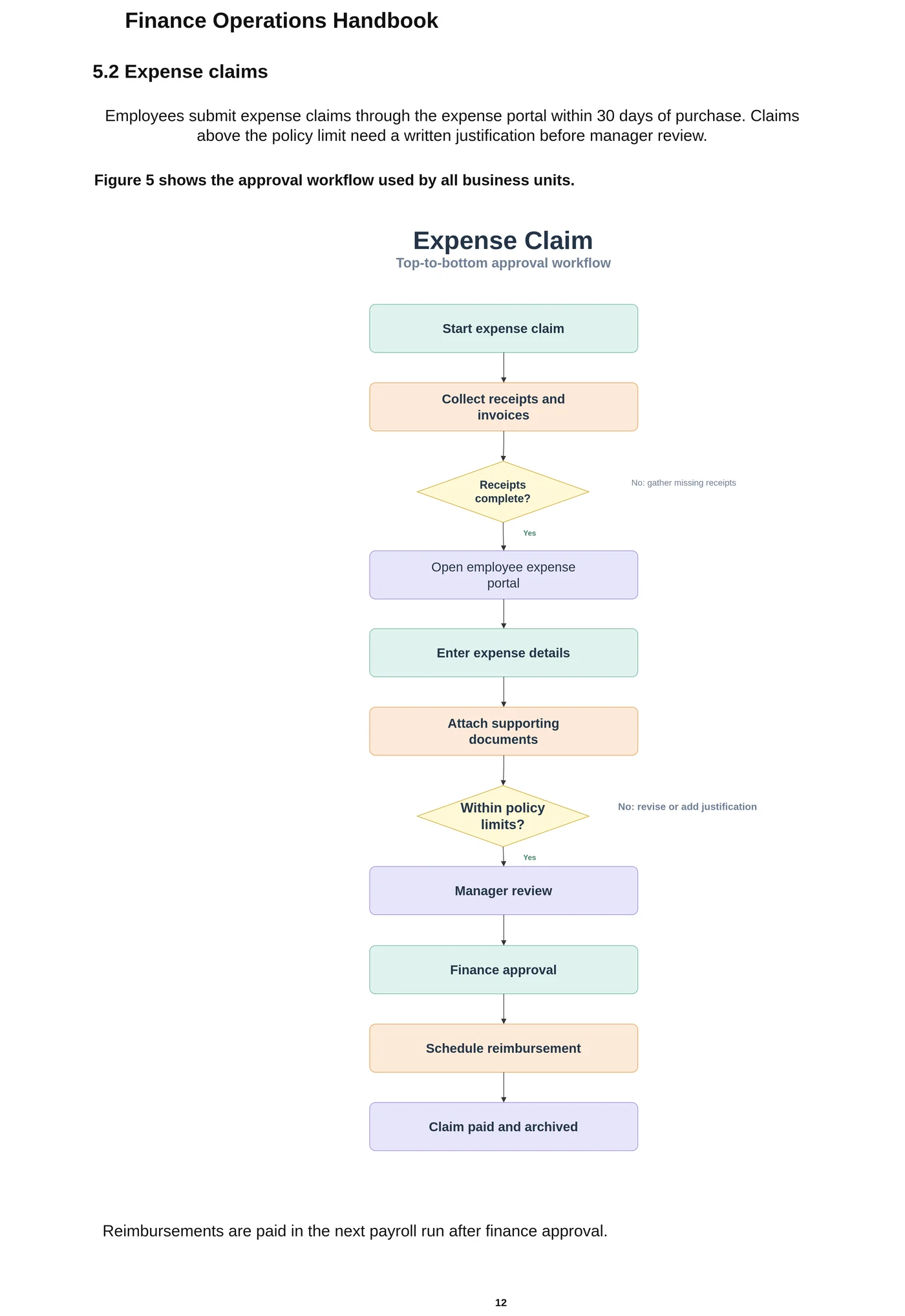
Page 12 of a finance handbook PDF. The expense-claim workflow comes back as Visio shapes and glued connectors — twelve steps and two decisions — and the headings and paragraphs as editable text.
Why Visio cannot simply open a PDF
Visio has no PDF import. You can place a PDF page in a drawing as an embedded object or as a picture, but the diagram inside it stays one block. That is the question behind most “convert PDF to Visio” threads: the PDF is often the only copy left of a diagram someone drew years ago.
How to convert a PDF diagram to Visio
Upload the PDF on this page. If it has several pages, a page picker shows thumbnails — choose the page with the diagram. That page is rendered at high resolution in your browser, and only that image is sent for conversion, so the rest of the document never leaves your computer.
LayerBack then rebuilds the diagram as Visio shapes, glued connectors, and text, and you download a VSDX (plus PowerPoint, draw.io, and SVG versions from the same conversion).
Vector PDFs and scanned PDFs
A PDF exported from Visio, PowerPoint, or a drawing tool is a vector PDF: lines and text are sharp at any zoom, which gives the cleanest result. A scanned PDF is really a photo of a page; it converts too, as long as the text is readable when you zoom in. Rotate the page upright before exporting if it was scanned sideways.
Ways to get a PDF diagram into Visio
| Method | What you get | Editable diagram? |
|---|---|---|
| Insert the PDF page in Visio as an object or picture | Shows the page inside the drawing. The diagram cannot be edited. | No |
| Online “PDF to VSDX” file converters | Change the file type, but the page usually arrives as one picture inside the VSDX. | No |
| Vector-PDF import add-ins for Visio | Can turn the lines and text of a vector PDF into many separate pieces; boxes and arrows are not rebuilt as connected diagram shapes, and scanned PDFs are not supported. | Partly |
| LayerBack | Rebuilds the diagram on the chosen page as Visio shapes, glued connectors, and text — from vector or scanned PDFs. | Yes |
Know before you convert
- One page is converted at a time; convert each diagram page separately.
- Engineering drawings with thousands of fine lines (floor plans, schematics) are outside what the converter is designed for.
- Password-protected PDFs must be unlocked before upload.
Every conversion shows a free preview first, so you can check the result before paying.
How it works
Upload your source
Choose a PNG, JPG, WebP, or PDF page. Screenshots and photos work too.
AI rebuilds the diagram
LayerBack recognizes every shape, connector, and label, then recreates them as real objects.
Download or edit online
Get Visio, PowerPoint, draw.io, and SVG together, or make final adjustments in the built-in editor.
Frequently asked questions
Is it actually possible to get editable Visio shapes from an image?
Yes. Generic "PNG to VSDX" converters only embed your picture inside a Visio file, which is why the result is not editable. LayerBack rebuilds every shape, connector, and label as a native Visio object instead of embedding the image — so the VSDX you download behaves like a diagram drawn in Visio.
Will the text stay editable?
Yes. Labels are recognized and written into the VSDX as real text inside their shapes, not as outlines or images.
My PDF has many pages — can I pick one?
Yes. After you upload the PDF a page picker appears with a thumbnail of every page. Click the one with the diagram.
Does the whole PDF get uploaded?
No. The PDF is opened in your browser; only the page you pick is rendered to an image and uploaded for conversion.
Is it free?
Converting and previewing are free and need no account. The first download or edit of a diagram asks you to sign in and uses 10 credits, which unlocks every format and edit of that diagram. Failed conversions never cost anything.
What files can I upload?
PNG, JPEG, and WebP images up to 20 MB, or a PDF — pick the page with the diagram and it is rendered in your browser before upload. Uploads are deleted within 72 hours.