PDF to draw.io Converter
Upload the PDF directly — pick the page with the diagram and get back an editable draw.io file you can keep working on for free.
Drop a diagram image here, click to browse, or paste from clipboard
No sign-in needed — the preview is free. Downloads use 10 credits.
Real conversion example
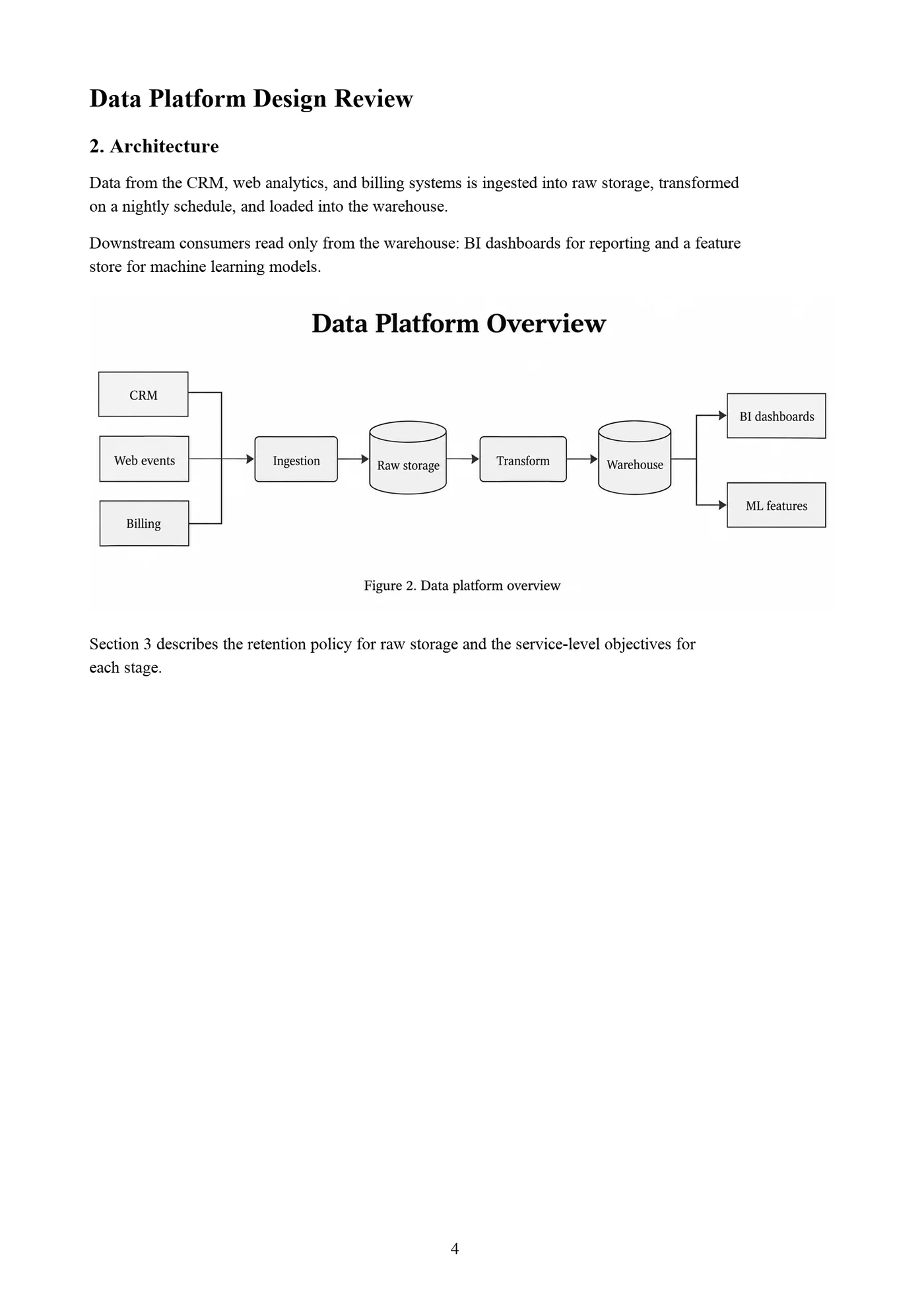
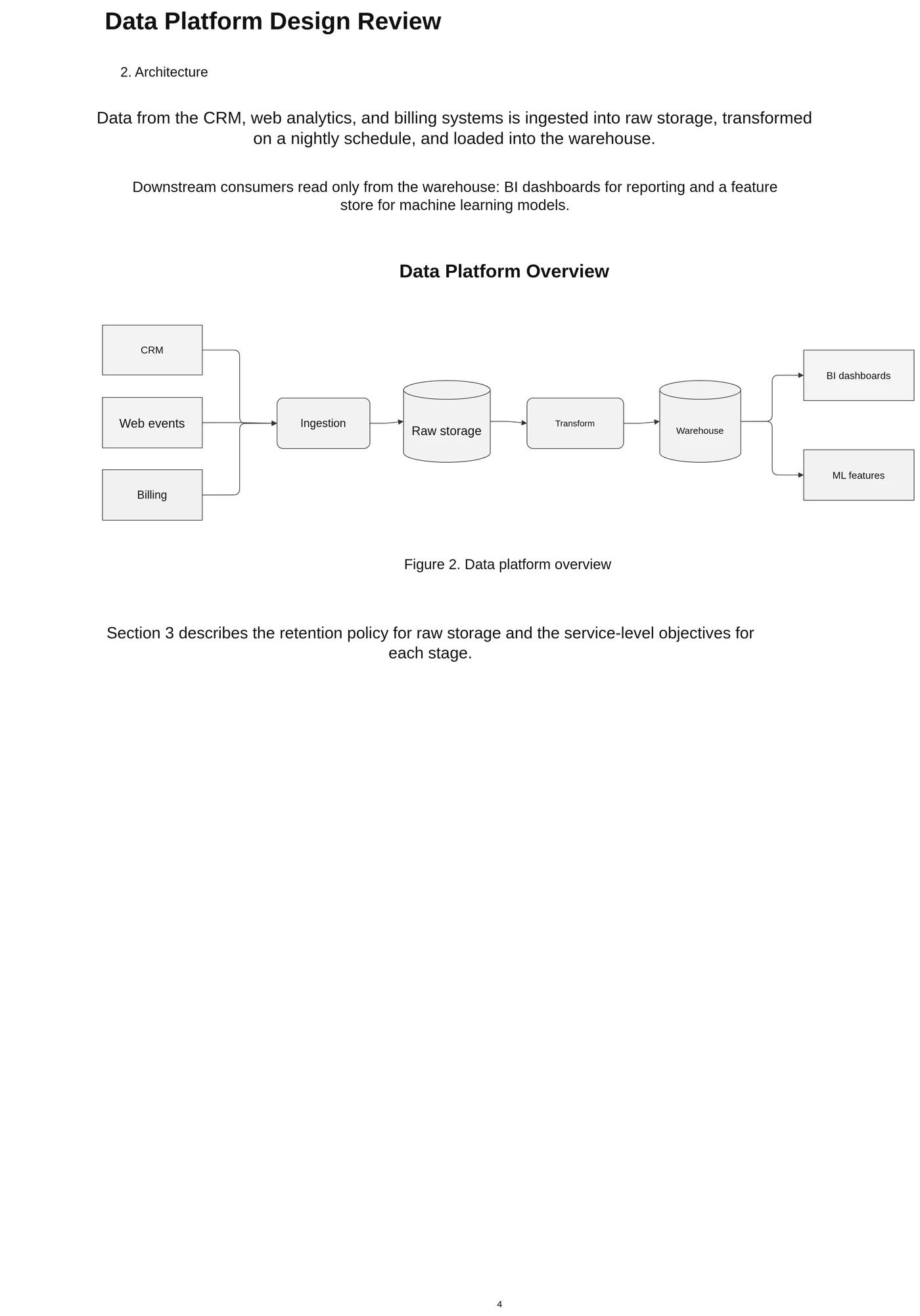
Page 4 of a design review PDF. The figure becomes connected draw.io shapes, and the headings and paragraphs become editable text boxes.
Diagrams trapped in reports and papers
Architecture overviews in design documents, figures in research papers, process maps in handbooks: the PDF is often the only version left. draw.io can import some PDFs, but the result depends on how the PDF was made and rarely gives connected shapes.
Upload the PDF here, pick the page with the figure, and LayerBack rebuilds that figure as an editable draw.io diagram with shapes, connected edges, and text.
Tips for PDF figures
- The whole page is rebuilt: headings and body text come across as editable text boxes you can keep or delete.
- Captions such as “Figure 2” come across as text you can delete or keep.
- Scanned PDFs work when the figure text is readable at 100% zoom.
What this tool does not do
- It converts PDF into draw.io, not the other way round: it does not open .drawio files or export draw.io diagrams to PDF.
- One figure page per conversion.
- Charts with plotted data (line or bar charts) are not converted into chart objects.
- Mathematical formulas are kept as text or images, not as editable equations.
Every conversion shows a free preview first, so you can check the result before paying.
How it works
Upload your source
Choose a PNG, JPG, WebP, or PDF page. Screenshots and photos work too.
AI rebuilds the diagram
LayerBack recognizes every shape, connector, and label, then recreates them as real objects.
Download or edit online
Get Visio, PowerPoint, draw.io, and SVG together, or make final adjustments in the built-in editor.
Frequently asked questions
Is the PDF uploaded?
Only the page you pick. The PDF is opened in your browser and that page is rendered to an image before upload.
Can I get Visio instead?
Yes. The same conversion includes a VSDX file; see PDF to Visio for Visio-specific tips.
Can I convert a draw.io file to PDF here?
No. This tool goes from PDF to draw.io: it reads a diagram on a PDF page and gives you an editable draw.io file. It does not accept .drawio files as input. To get a PDF from a draw.io diagram, use File → Export as → PDF in draw.io itself.
Is it free?
Converting and previewing are free and need no account. The first download or edit of a diagram asks you to sign in and uses 10 credits, which unlocks every format and edit of that diagram. Failed conversions never cost anything.
What files can I upload?
PNG, JPEG, and WebP images up to 20 MB, or a PDF — pick the page with the diagram and it is rendered in your browser before upload. Uploads are deleted within 72 hours.