Free Image to draw.io Converter
Turn any diagram image (PNG, JPG, screenshot) into an editable draw.io diagram — every shape, connector, and label becomes a real, editable object.
Drop a diagram image here, click to browse, or paste from clipboard
No sign-in needed — the preview is free. Downloads use 10 credits.
Real conversion example
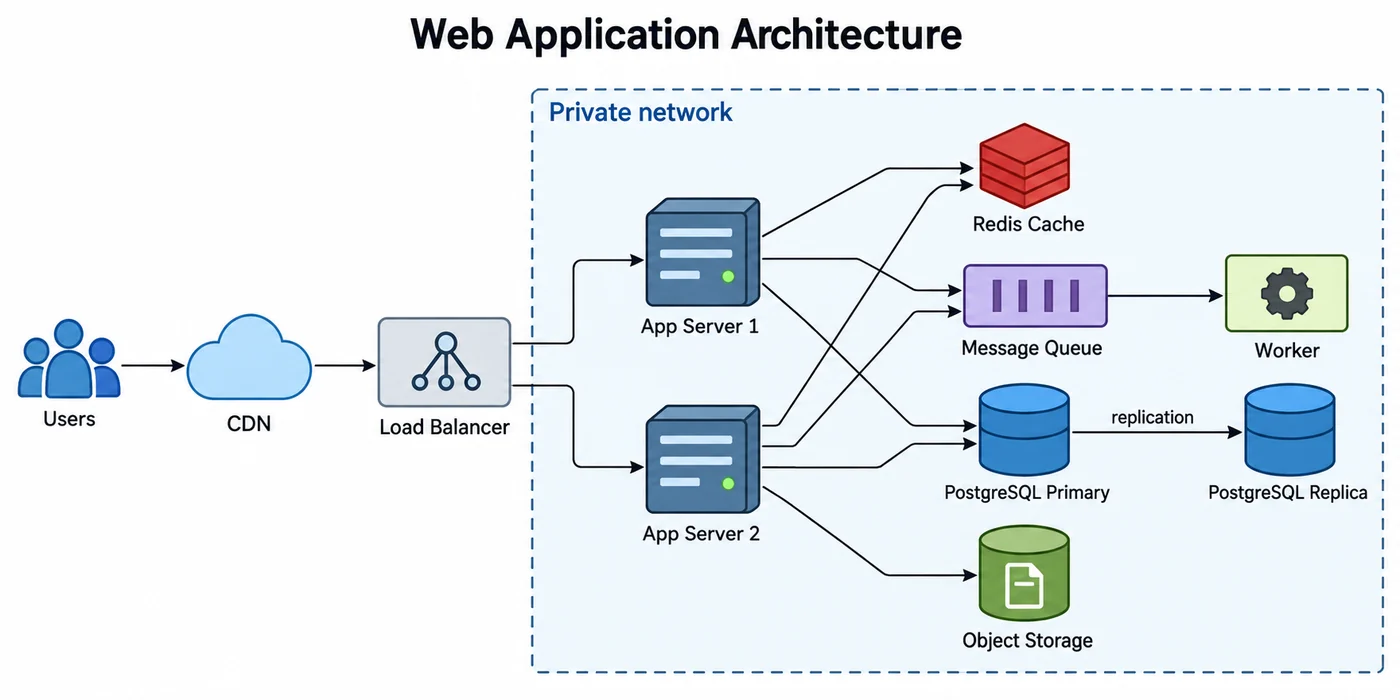
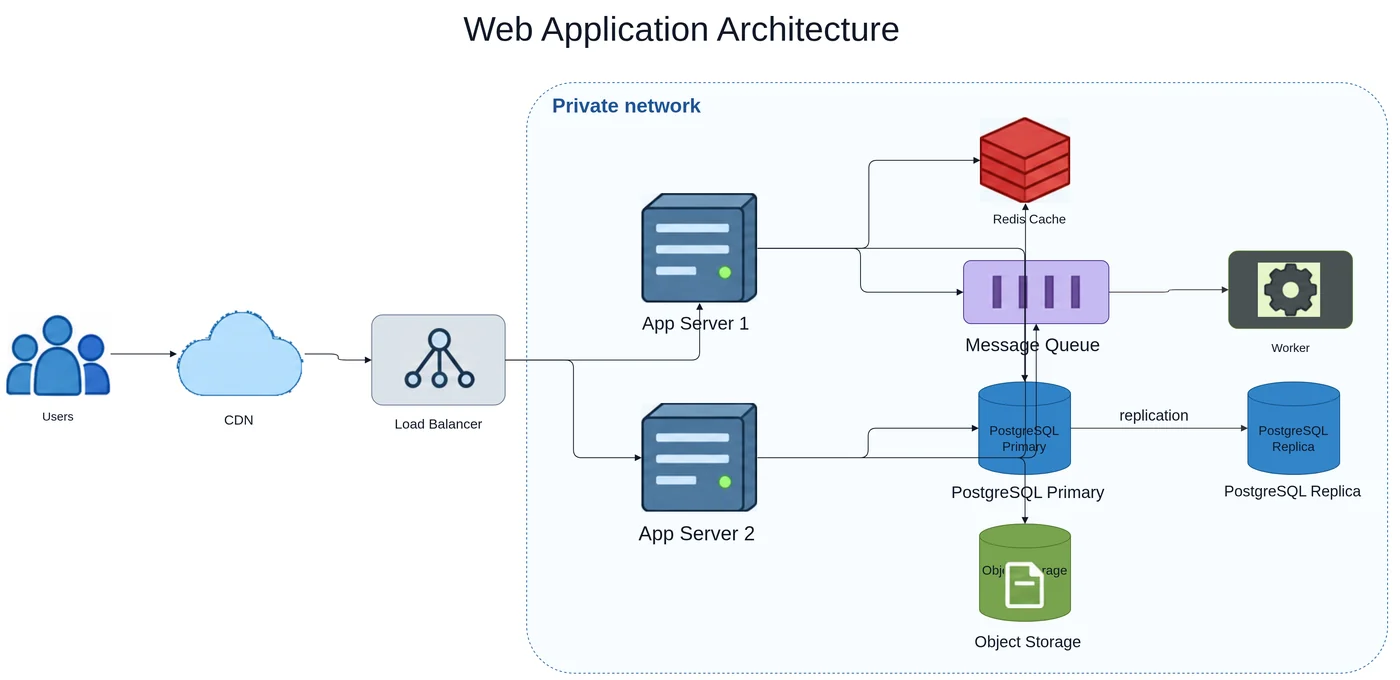
A web application architecture picture. Boxes, the private network boundary, and connections are rebuilt; server and database icons are kept as images.
From a picture to a diagram you can keep editing
draw.io (diagrams.net) can place an image on the canvas, but it stays an image. LayerBack rebuilds the picture as draw.io cells: rectangles, diamonds, and containers as shapes, arrows as edges connected to their source and target, and labels as editable text. The result is a normal .drawio file.
Open the result in draw.io
In the draw.io web app or desktop app choose File → Open from → Device and select the downloaded .drawio file. It also works in the draw.io integrations for Confluence, VS Code, and Google Drive, because it is the same file format.
- Drag a shape: its edges stay attached and re-route.
- Select several shapes and use Arrange → Align to tidy the layout.
- Use Edit Style or the Format panel to restyle, or swap a shape for one from another library.
Good sources for image to draw.io
Architecture diagrams, flowcharts, sequence-style block diagrams, and org charts from screenshots, slides, wiki pages, or old documentation all work well. If the picture came out of draw.io in the first place, check the PNG to draw.io page first — the original diagram may still be inside the file.
When results are weaker
- Cloud provider icons and logos are kept as images rather than mapped to draw.io icon libraries.
- Hand-drawn curves become straight or orthogonal edges.
- Very dense diagrams may need a few edges re-connected afterwards.
- Arrows that loop back around other shapes (for example a rollback path) can be dropped; add them again in draw.io.
Every conversion shows a free preview first, so you can check the result before paying.
How it works
Upload your source
Choose a PNG, JPG, WebP, or PDF page. Screenshots and photos work too.
AI rebuilds the diagram
LayerBack recognizes every shape, connector, and label, then recreates them as real objects.
Download or edit online
Get Visio, PowerPoint, draw.io, and SVG together, or make final adjustments in the built-in editor.
Frequently asked questions
Is draw.io itself free?
Yes. draw.io (diagrams.net) is free to use in the browser and as a desktop app, so the converted file can be edited without any paid software.
Can I get Visio or PowerPoint from the same image?
Yes. Every conversion produces draw.io, Visio (VSDX), PowerPoint (PPTX), and SVG together.
Is it free?
Converting and previewing are free and need no account. The first download or edit of a diagram asks you to sign in and uses 10 credits, which unlocks every format and edit of that diagram. Failed conversions never cost anything.
What files can I upload?
PNG, JPEG, and WebP images up to 20 MB, or a PDF — pick the page with the diagram and it is rendered in your browser before upload. Uploads are deleted within 72 hours.