Free PNG to draw.io Converter
Turn a PNG flowchart or diagram into an editable draw.io diagram — every shape, connector, and label becomes a real, editable object.
Drop a diagram image here, click to browse, or paste from clipboard
No sign-in needed — the preview is free. Downloads use 10 credits.
Real conversion example
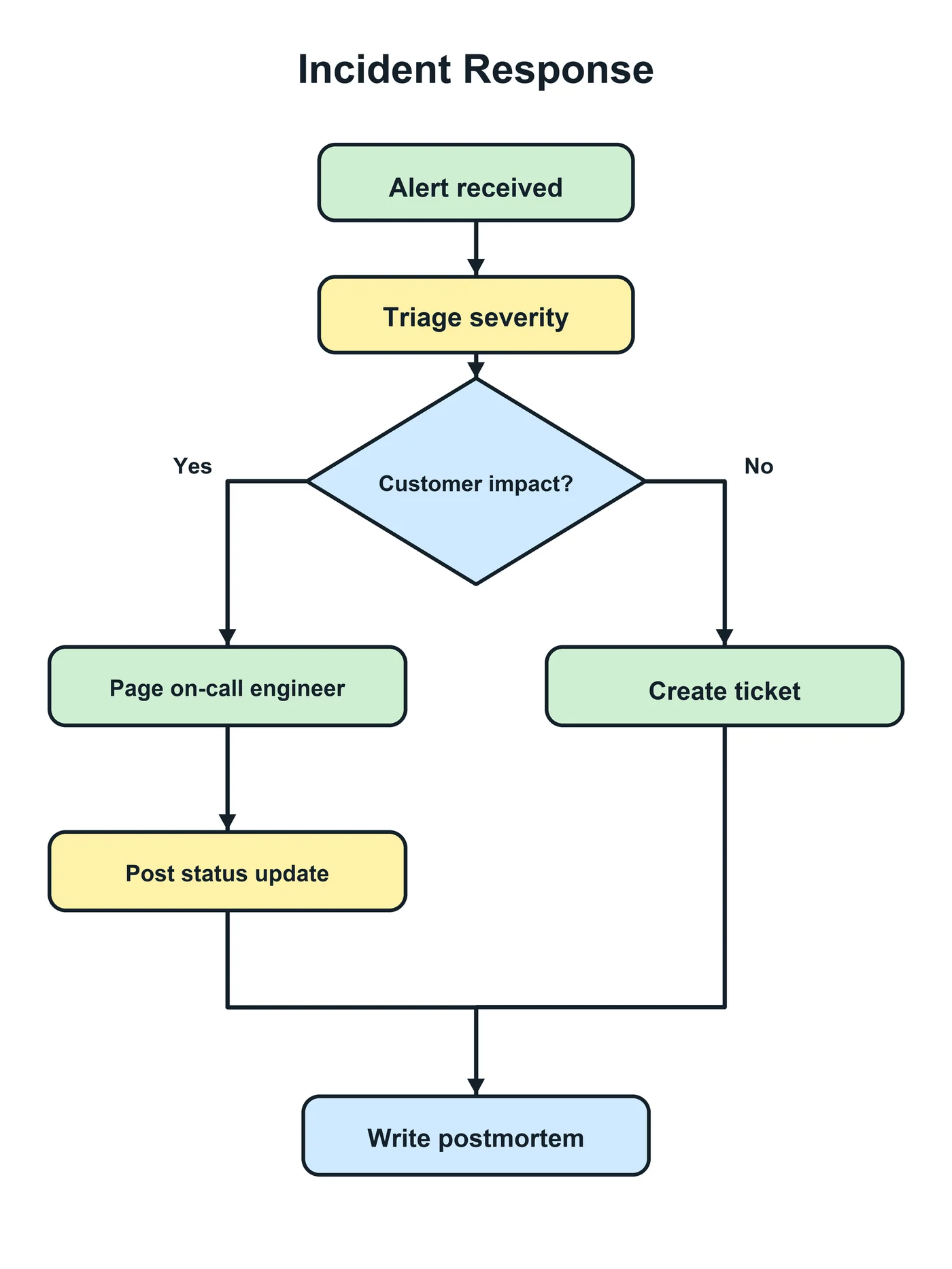
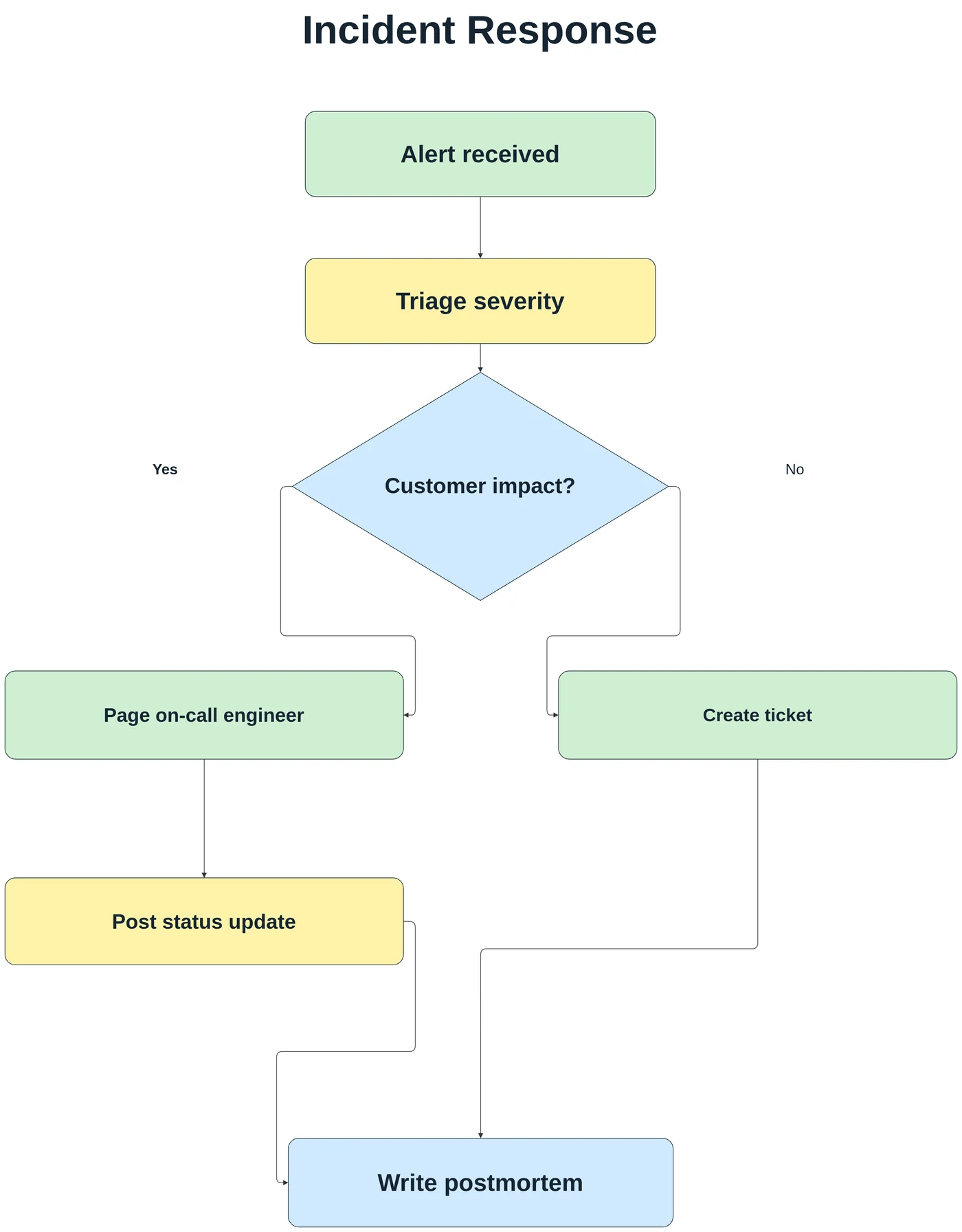
A plain PNG of an incident response flowchart (no embedded draw.io data). Every step, the decision diamond, the colours, and both branches come back as editable draw.io shapes and edges.
First check: is your PNG already a draw.io file?
draw.io can export a PNG with “Include a copy of my diagram” turned on. Such a file looks like an ordinary image but carries the full diagram inside it. Drag it onto the draw.io canvas, or open it with File → Open from → Device, and it opens fully editable — no conversion needed. Files named like “diagram.drawio.png” are almost always this kind.
If draw.io opens the file as a single picture, the diagram data is not there (it was exported without it, or the image was re-saved, compressed, or screenshotted). That is the case this converter is for.
Converting a plain PNG to draw.io
Upload the PNG and LayerBack rebuilds it as draw.io shapes, connected edges, and text, then gives you a .drawio file. Open it in draw.io and keep working as if it had never been flattened.
- Works with screenshots of draw.io, Lucidchart, Visio, Miro, and slide decks.
- Keeps the layout: shapes stay where they were, so the diagram is recognizable.
- Save it as .drawio.png afterwards if you want an image that stays editable next time.
Know before you convert
- Images that lost their draw.io data cannot be restored byte-for-byte; the diagram is rebuilt from what is visible.
- Custom shape libraries are replaced by the closest standard shapes.
- Small or blurry labels may need checking.
Every conversion shows a free preview first, so you can check the result before paying.
How it works
Upload your source
Choose a PNG, JPG, WebP, or PDF page. Screenshots and photos work too.
AI rebuilds the diagram
LayerBack recognizes every shape, connector, and label, then recreates them as real objects.
Download or edit online
Get Visio, PowerPoint, draw.io, and SVG together, or make final adjustments in the built-in editor.
Frequently asked questions
Why does my draw.io PNG open as an image?
The PNG was exported without “Include a copy of my diagram”, or it was re-saved by another app (chat apps and image editors often strip the embedded data). Convert it here to get an editable diagram back.
Can I convert a JPG or screenshot to draw.io too?
Yes. JPG, WebP, and screenshots are converted the same way; see the image to draw.io page for tips.
Is it free?
Converting and previewing are free and need no account. The first download or edit of a diagram asks you to sign in and uses 10 credits, which unlocks every format and edit of that diagram. Failed conversions never cost anything.
What files can I upload?
PNG, JPEG, and WebP images up to 20 MB, or a PDF — pick the page with the diagram and it is rendered in your browser before upload. Uploads are deleted within 72 hours.