Image to Flowchart Converter
LayerBack converts flowchart images into editable VSDX, PPTX, draw.io XML and SVG files. AI rebuilds the steps, decision diamonds, arrows and labels as editable elements.
Drop a diagram image here, click to browse, or paste from clipboard
No sign-in needed — the preview is free. Downloads use 10 credits.
Real conversion example
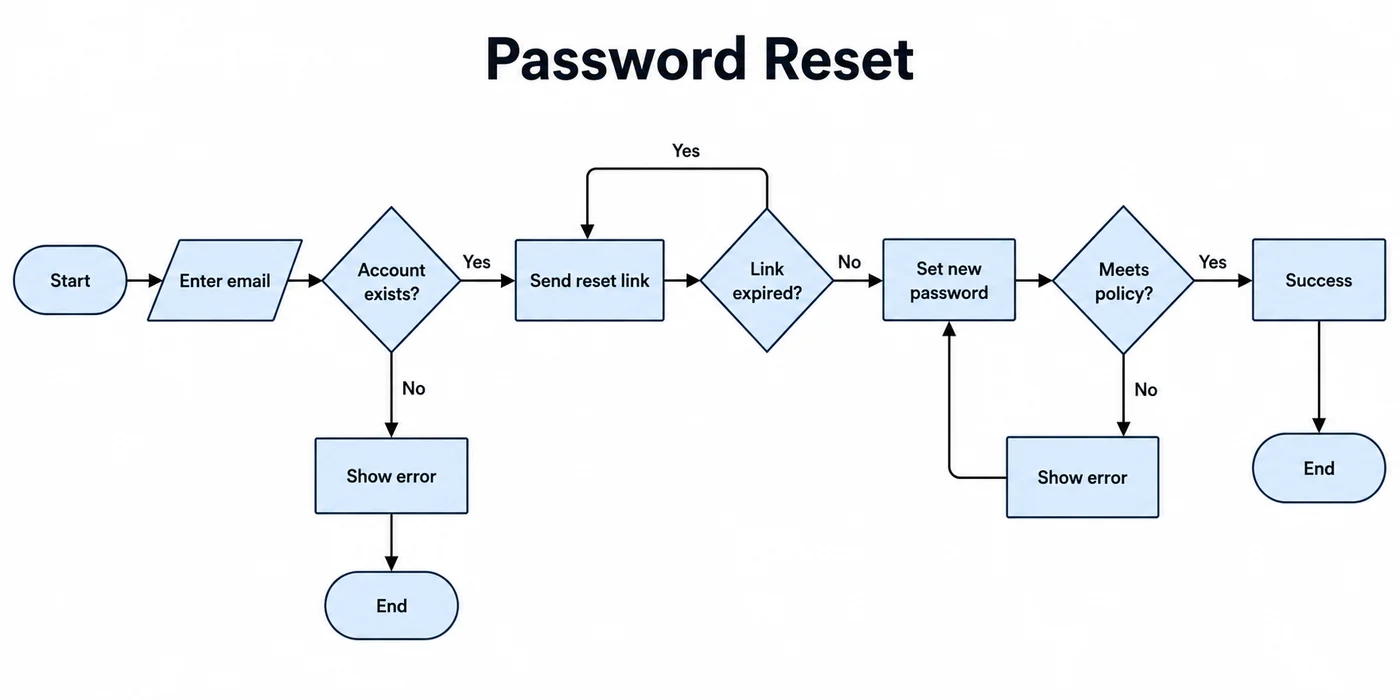
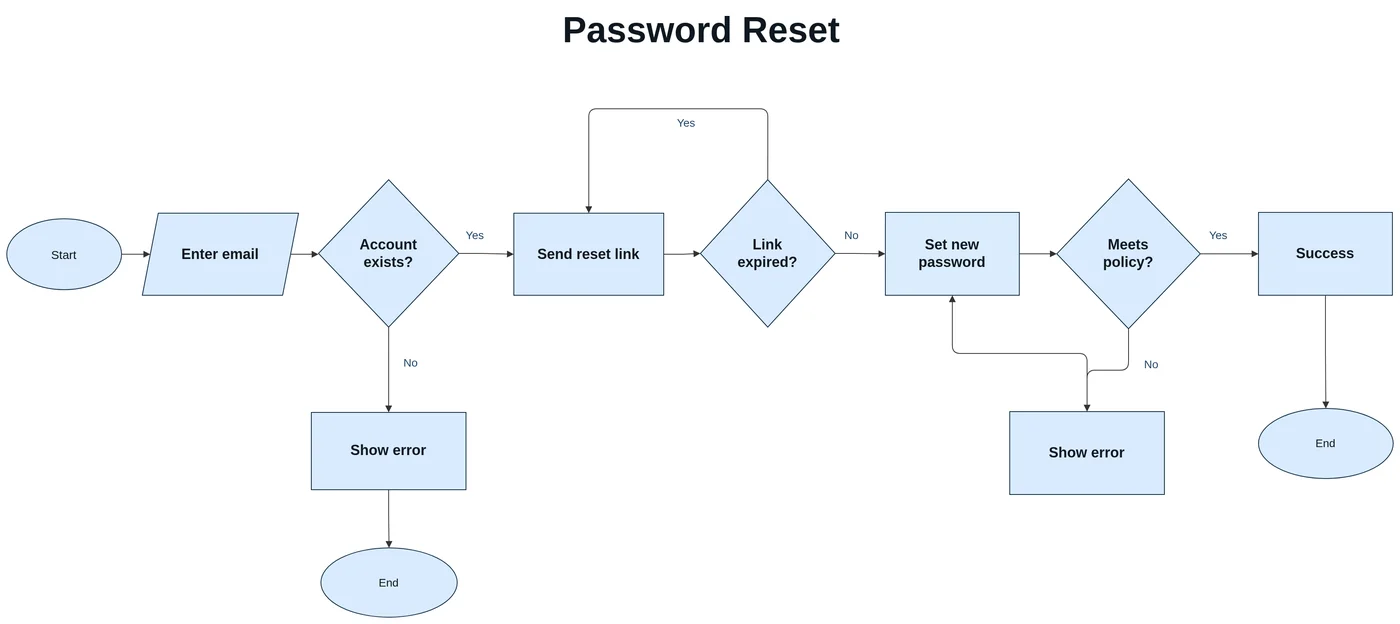
A password reset flowchart: start/end ovals, the input parallelogram, and three decision diamonds come back as matching flowchart shapes, and the “Yes” loop back to “Send reset link” runs over the top as in the original.
Flowchart symbols are recognized, not just boxes
Flowcharts carry meaning in their symbols. LayerBack keeps them: ovals for start and end, rectangles for steps, diamonds for decisions, parallelograms for input and output, and arrows with their labels such as “Yes” and “No”. The rebuilt flowchart uses the matching native shapes in Visio, PowerPoint, and draw.io.
After converting
- Insert a new step between two boxes and reconnect the arrow.
- Rename decisions and branch labels directly.
- Change the layout direction by moving shapes — connectors follow.
- Export to Visio for documentation, PowerPoint for presenting, or draw.io for free editing.
Where flowchart images come from
Screenshots from old process documents, photos of a printed SOP, exports from tools you no longer have, or a flowchart pasted into a chat. As long as the arrows and text are visible, the flow can be rebuilt.
When results are weaker
- Arrows that cross many others may attach to the wrong box and need a quick fix.
- Loop-back arrows that run around other shapes can be dropped and need to be redrawn.
- Very long flowcharts split across several images must be converted one image at a time.
Every conversion shows a free preview first, so you can check the result before paying.
How it works
Upload your source
Choose a PNG, JPG, WebP, or PDF page. Screenshots and photos work too.
AI rebuilds the diagram
LayerBack recognizes every shape, connector, and label, then recreates them as real objects.
Download or edit online
Get Visio, PowerPoint, draw.io, and SVG together, or make final adjustments in the built-in editor.
Frequently asked questions
Is it actually possible to get editable Visio shapes from an image?
Yes. Generic "PNG to VSDX" converters only embed your picture inside a Visio file, which is why the result is not editable. LayerBack rebuilds every shape, connector, and label as a native Visio object instead of embedding the image — so the VSDX you download behaves like a diagram drawn in Visio.
Do the arrows stay connected when I move a box?
Yes. Connectors are rebuilt as real connectors bound to the shapes — drag a box and its arrows follow.
Can it convert a hand-drawn flowchart?
Yes, if the photo is sharp and the handwriting is readable. Shapes are straightened and text is typed out.
Is it free?
Converting and previewing are free and need no account. The first download or edit of a diagram asks you to sign in and uses 10 credits, which unlocks every format and edit of that diagram. Failed conversions never cost anything.
What files can I upload?
PNG, JPEG, and WebP images up to 20 MB, or a PDF — pick the page with the diagram and it is rendered in your browser before upload. Uploads are deleted within 72 hours.