AI Image to Diagram Converter
LayerBack converts diagram images into editable VSDX, PPTX, draw.io XML and SVG files. AI rebuilds the shapes, connectors and text so you can edit the diagram.
Drop a diagram image here, click to browse, or paste from clipboard
No sign-in needed — the preview is free. Downloads use 10 credits.
Real conversion example
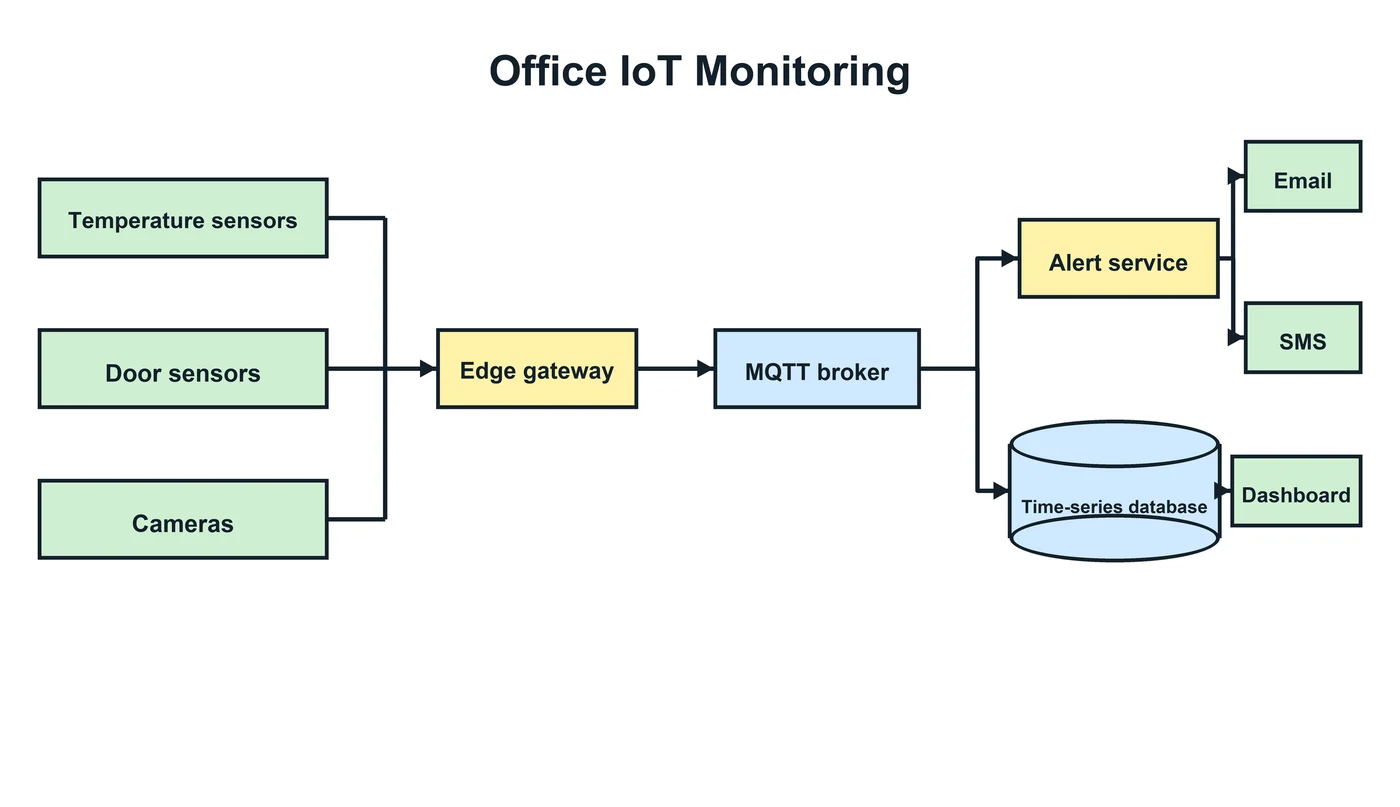
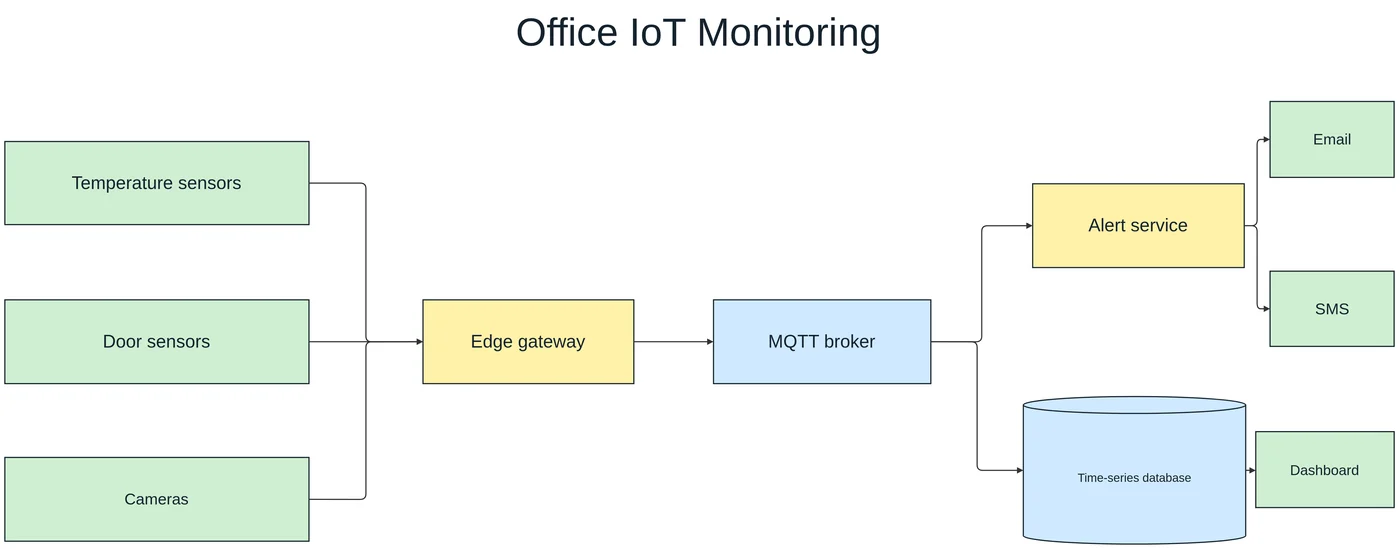
An IoT monitoring block diagram: sensors, gateway, broker, database, and alerting rebuilt with their colors, the database as a cylinder, and every connection kept.
Which diagrams can be rebuilt
Any box-and-line diagram: flowcharts, swimlane processes, system and cloud architecture, network topologies, org charts, and block diagrams. The converter looks for shapes, the lines between them, and their text, so the same approach works across all of them.
Pick the format for where the diagram goes next
Every conversion produces all four formats, so you can choose later:
- Visio (VSDX) — for teams that document processes and networks in Microsoft Visio.
- PowerPoint (PPTX) — to present or restyle the diagram inside a deck.
- draw.io — free editing in the browser, Confluence, or VS Code.
- SVG — a clean vector for websites and documents.
Fix details in the online editor
An unlocked diagram opens in the built-in editor. Fix a label or move a shape, then export again — every format is updated together, at no extra cost.
Not a fit
- Data charts (bar, line, pie) — the numbers are not extracted into chart objects.
- Table-style diagrams such as ER diagrams and UML class diagrams, where rows of fields sit inside each box — fields can overlap or shift.
- Photos, illustrations, and screenshots of apps without diagram structure.
- Dense engineering drawings such as circuit schematics and floor plans.
Every conversion shows a free preview first, so you can check the result before paying.
How it works
Upload your source
Choose a PNG, JPG, WebP, or PDF page. Screenshots and photos work too.
AI rebuilds the diagram
LayerBack recognizes every shape, connector, and label, then recreates them as real objects.
Download or edit online
Get Visio, PowerPoint, draw.io, and SVG together, or make final adjustments in the built-in editor.
Frequently asked questions
Is it actually possible to get editable Visio shapes from an image?
Yes. Generic "PNG to VSDX" converters only embed your picture inside a Visio file, which is why the result is not editable. LayerBack rebuilds every shape, connector, and label as a native Visio object instead of embedding the image — so the VSDX you download behaves like a diagram drawn in Visio.
How accurate is the AI?
Clear diagrams with readable text usually come back ready to use. Always review labels and connections in the free preview; anything off can be fixed in the online editor.
Is my image used to train models?
Uploads are used only to produce your conversion and are deleted within 72 hours.
Is it free?
Converting and previewing are free and need no account. The first download or edit of a diagram asks you to sign in and uses 10 credits, which unlocks every format and edit of that diagram. Failed conversions never cost anything.
What files can I upload?
PNG, JPEG, and WebP images up to 20 MB, or a PDF — pick the page with the diagram and it is rendered in your browser before upload. Uploads are deleted within 72 hours.