Free Image to PowerPoint Converter
Turn any diagram image (PNG, JPG, screenshot) into editable PowerPoint shapes on a real slide — every shape, connector, and label becomes a real, editable object.
Drop a diagram image here, click to browse, or paste from clipboard
No sign-in needed — the preview is free. Downloads use 10 credits.
Real conversion example
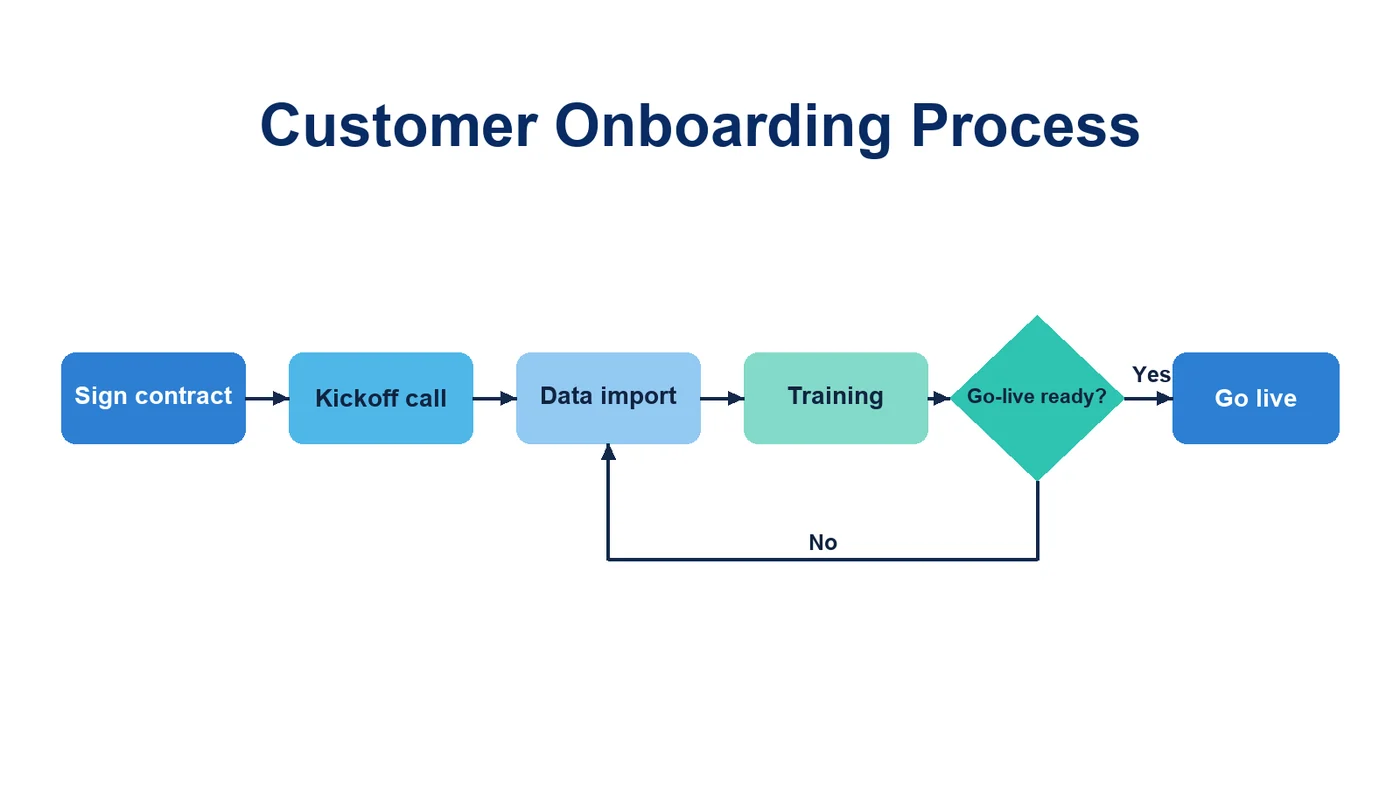
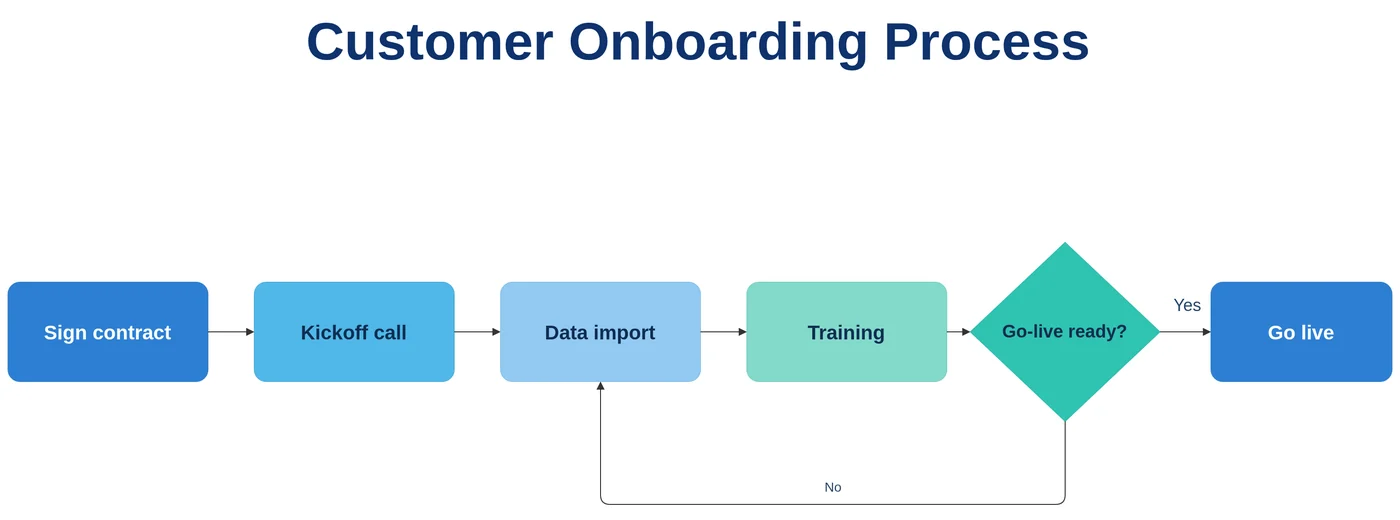
A slide screenshot of a customer onboarding process. Each step becomes a PowerPoint shape with bold text, the decision a diamond, and the “No” branch loops back to “Data import” below the row, as in the original.
Editable shapes, not a picture on a slide
Most “image to PPT” converters place your picture on a slide. That is useful for building a photo deck, but the diagram in the picture still cannot be changed. LayerBack rebuilds the diagram as PowerPoint shapes, connectors, and text boxes on a real slide, so you can recolor it to match your template, fix wording, or animate each step.
Working with the result in PowerPoint
- Click any shape to edit its text or change its fill with the Shape Format tab.
- Connectors are attached: move a shape and its lines follow.
- Group, align, and distribute shapes with the Arrange tools.
- Add animations per shape to reveal a process step by step.
Best for diagrams inside slides
Flowcharts, process chevrons, org charts, and architecture diagrams from screenshots or old decks convert well. Slides that are mostly paragraphs of text or photos are better recreated with a slide tool, because there is little diagram structure to rebuild.
Image to PowerPoint: two very different results
| Method | What you get | Editable diagram? |
|---|---|---|
| Image-to-slide converters | Place the picture on a slide. Quick for photo decks; the diagram cannot be edited. | No |
| LayerBack | Rebuilds the diagram as PowerPoint shapes, attached connectors, and text you can restyle. | Yes |
Know before you convert
- One image becomes one slide.
- Photos and illustrations stay images; only diagram structure is rebuilt.
Every conversion shows a free preview first, so you can check the result before paying.
How it works
Upload your source
Choose a PNG, JPG, WebP, or PDF page. Screenshots and photos work too.
AI rebuilds the diagram
LayerBack recognizes every shape, connector, and label, then recreates them as real objects.
Download or edit online
Get Visio, PowerPoint, draw.io, and SVG together, or make final adjustments in the built-in editor.
Frequently asked questions
Does it work with Google Slides or Keynote?
The download is a standard .pptx file, which both can open. Shapes and text come across; check connectors after importing, since each app handles PowerPoint connectors slightly differently.
Can I convert several images at once?
Each conversion takes one image. Convert them one after another and copy the slides into a single deck.
Is it free?
Converting and previewing are free and need no account. The first download or edit of a diagram asks you to sign in and uses 10 credits, which unlocks every format and edit of that diagram. Failed conversions never cost anything.
What files can I upload?
PNG, JPEG, and WebP images up to 20 MB, or a PDF — pick the page with the diagram and it is rendered in your browser before upload. Uploads are deleted within 72 hours.