图片转可编辑流程图
上传流程图图片,AI 会把方框、判断节点、箭头和文字重建为可编辑的 Visio、PowerPoint 或 draw.io 对象。
把图表图片拖到这里,点击选择,或直接粘贴
无需登录,预览免费;下载文件需 10 积分
真实转换示例
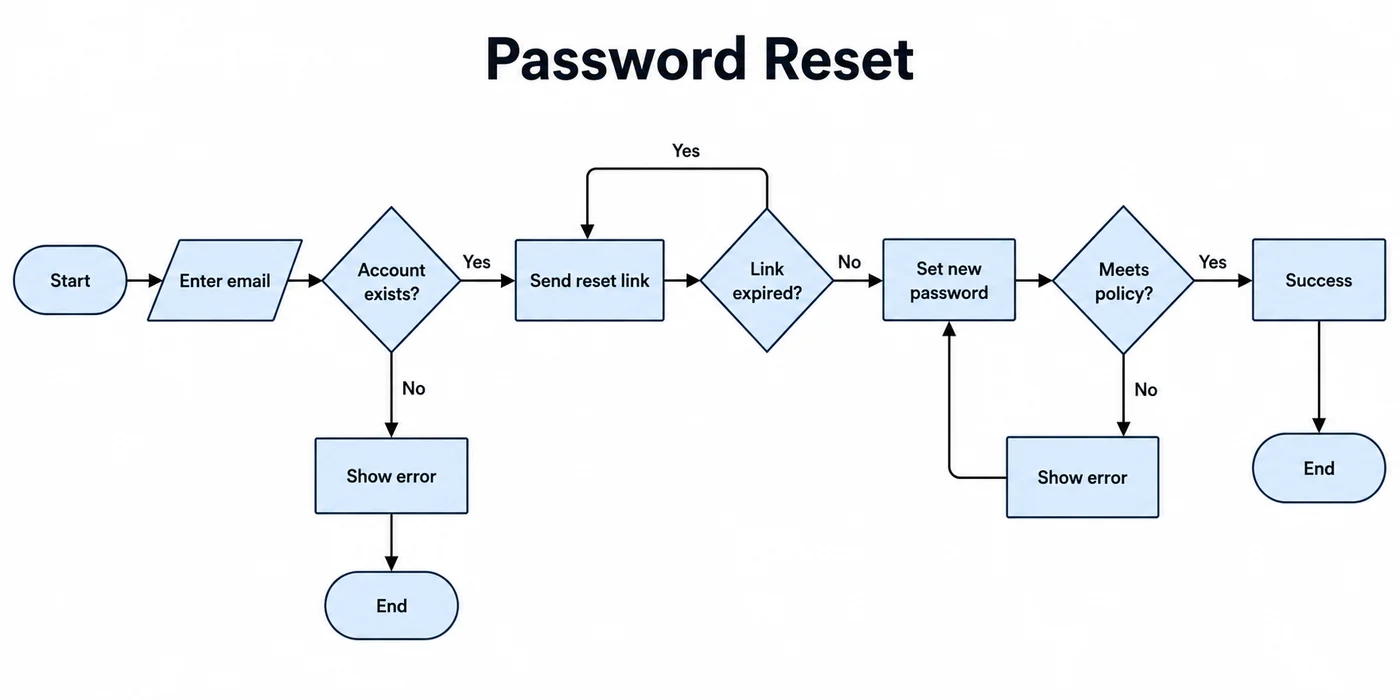
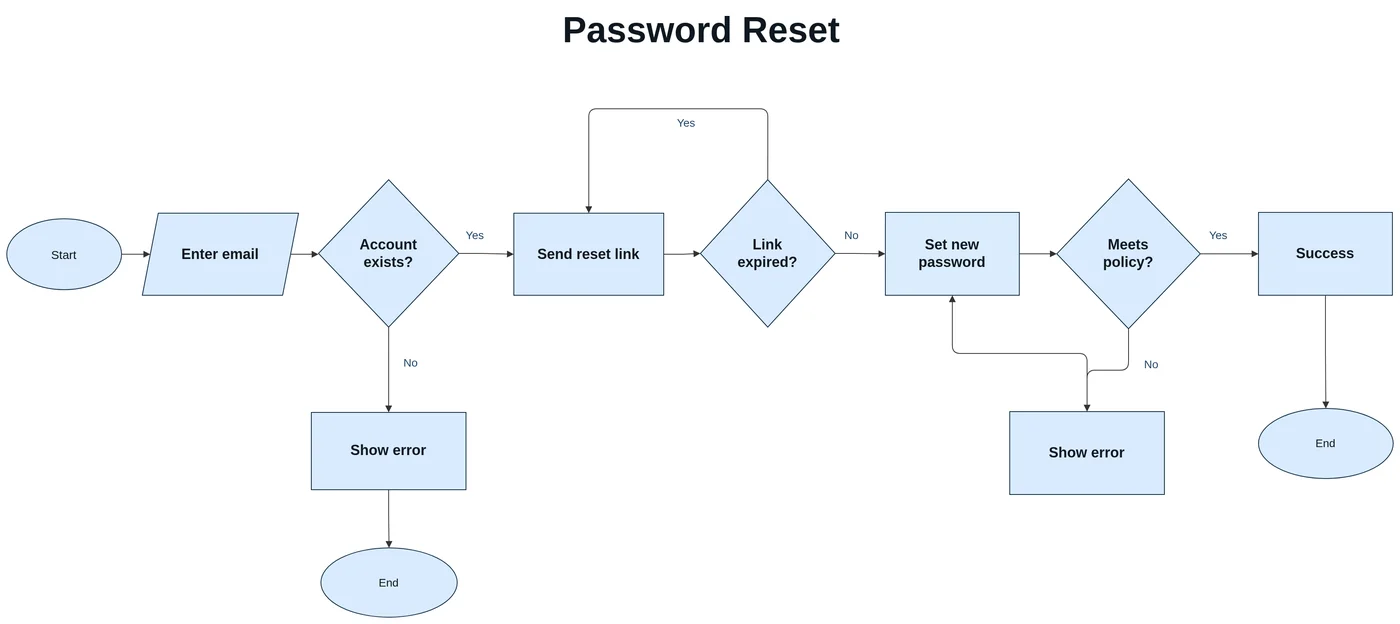
一张密码重置流程图:开始/结束椭圆、输入平行四边形和三个判断菱形,都还原为对应的流程图形状;“Yes”回到“Send reset link”的回指线也像原图一样从上方绕回。
识别的是流程图符号,而不只是方框
流程图的含义藏在符号里。LayerBack 会保留它们:椭圆表示开始和结束,矩形表示步骤,菱形表示判断,平行四边形表示输入输出,箭头连同“是”“否”等标签一起保留。重建后的流程图在 Visio、PowerPoint 和 draw.io 中都使用对应的原生形状。
转换之后可以做什么
- 在两个方框之间插入新步骤,再把箭头接上。
- 直接修改判断条件和分支标签。
- 移动形状调整流程方向,连接线自动跟随。
- 导出 Visio 用于归档、PowerPoint 用于演示,或 draw.io 免费编辑。
流程图图片从哪里来
旧流程文档的截图、打印版操作规程的照片、已经不再使用的软件导出的图,或是聊天里转来的一张流程图。只要箭头和文字看得清,流程就能重建。
这些情况效果会差一些
- 与大量连线交叉的箭头可能接错方框,需要快速修正。
- 绕过其他形状回指的循环箭头可能丢失,需要补画。
- 拆成多张图片的超长流程图,需要一张一张转换。
每次转换都会先给出免费预览,付费前就能检查结果。
使用步骤
上传源文件
选择 PNG、JPG、WebP 或 PDF 页面,截图和照片也可以直接使用。
AI 重新搭建图表
LayerBack 识别每个图形、标签和连接关系,并将它们重建为真正的对象。
下载或在线编辑
一次获得 Visio、PowerPoint、draw.io 和 SVG,也可先在内置编辑器中调整。
常见问题
图片真的能转换成可编辑的 Visio 图形吗?
可以。普通的 PNG 转 VSDX 工具只是把图片塞进 Visio 文件,所以内容无法编辑。LayerBack 会识别并重建每个图形、标签和连接关系,下载的 VSDX 与在 Visio 中手工绘制的图一样可以修改。
移动方框时箭头还连着吗?
连着。连接线会重建为绑定在形状上的真实连接线,拖动方框时箭头会跟着走。
手绘流程图能转换吗?
可以,只要照片清晰、字迹能看清。形状会被拉直,文字会转成打字文本。
收费吗?
转换和预览免费,不需要登录。第一次下载或编辑一张图时需要登录并使用 10 积分,之后这张图的所有格式和编辑都免费。转换失败不扣积分。
支持上传哪些文件?
支持不超过 20 MB 的 PNG、JPEG、WebP 图片,也可以直接上传 PDF 并选择图表所在页面(页面在浏览器本地渲染后再上传)。上传文件 72 小时内自动删除。