AI 图片转可编辑图表
流程图、架构图、组织图或网络图都可以。AI 识别并重建每个元素,一次输出 Visio、PowerPoint、draw.io 和 SVG。
把图表图片拖到这里,点击选择,或直接粘贴
无需登录,预览免费;下载文件需 10 积分
真实转换示例
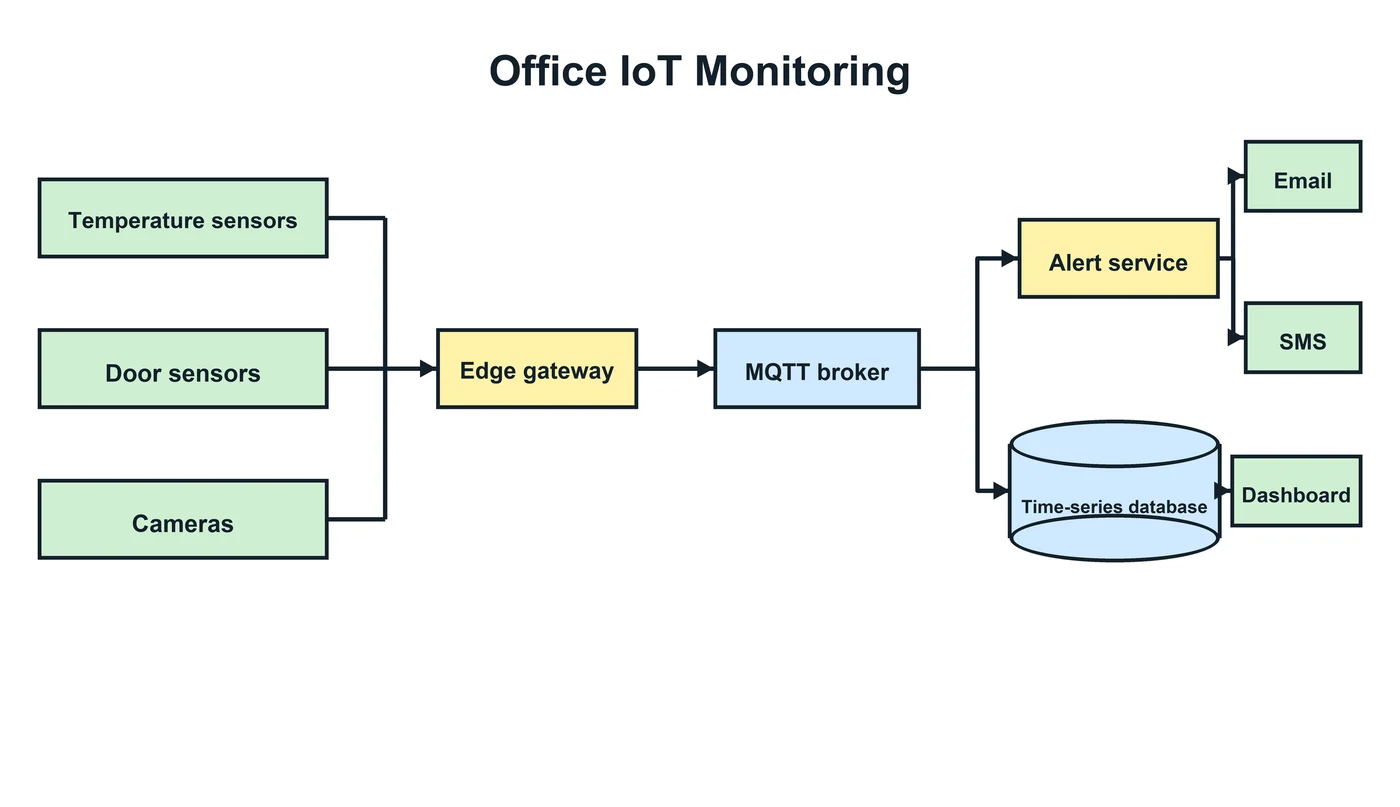
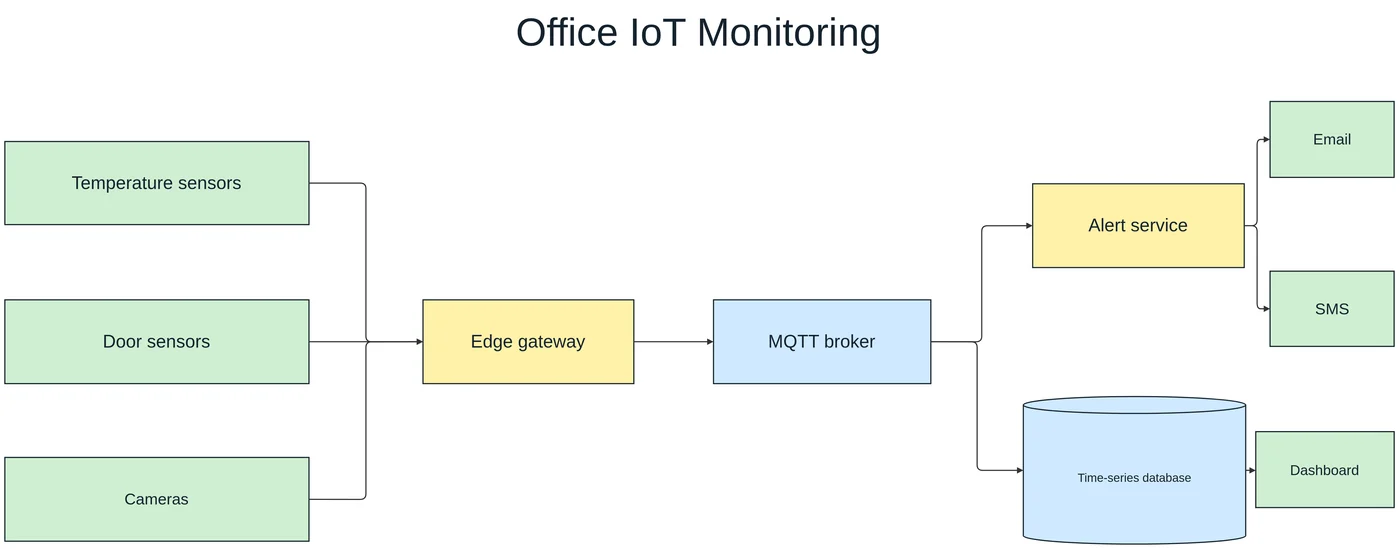
一张物联网监控框图:传感器、网关、消息代理、数据库和告警服务连同配色一起重建,数据库是圆柱形状,所有连接都保留。
哪些图表可以重建
任何“方框 + 连线”的图:流程图、泳道流程图、系统与云架构图、网络拓扑图、组织架构图和各类框图。转换器寻找的是形状、形状之间的线和文字,所以同一种方法适用于所有这些图。
按图表的用途选择格式
每次转换都会生成四种格式,可以之后再选:
- Visio(VSDX)——适合用 Microsoft Visio 记录流程和网络的团队。
- PowerPoint(PPTX)——在演示文稿里展示或改样式。
- draw.io——在浏览器、Confluence 或 VS Code 中免费编辑。
- SVG——用于网页和文档的干净矢量图。
在在线编辑器里修细节
解锁后的图表可以在内置编辑器中打开。改文字或挪动形状后重新导出,所有格式会一起更新,不再额外收费。
不适合的情况
- 数据图表(柱状图、折线图、饼图)——数值不会提取为图表对象。
- ER 图、UML 类图这类框内有多行字段的表格式图表,字段可能重叠或错位。
- 照片、插画,以及没有图表结构的软件界面截图。
- 电路原理图、平面图等密集的工程图。
每次转换都会先给出免费预览,付费前就能检查结果。
使用步骤
上传源文件
选择 PNG、JPG、WebP 或 PDF 页面,截图和照片也可以直接使用。
AI 重新搭建图表
LayerBack 识别每个图形、标签和连接关系,并将它们重建为真正的对象。
下载或在线编辑
一次获得 Visio、PowerPoint、draw.io 和 SVG,也可先在内置编辑器中调整。
常见问题
图片真的能转换成可编辑的 Visio 图形吗?
可以。普通的 PNG 转 VSDX 工具只是把图片塞进 Visio 文件,所以内容无法编辑。LayerBack 会识别并重建每个图形、标签和连接关系,下载的 VSDX 与在 Visio 中手工绘制的图一样可以修改。
AI 的准确度如何?
文字清楚的图表通常转换后即可使用。请在免费预览中核对文字和连接关系,有问题可以用在线编辑器修正。
我的图片会被用来训练模型吗?
上传的文件只用于生成你的转换结果,并在 72 小时内删除。
收费吗?
转换和预览免费,不需要登录。第一次下载或编辑一张图时需要登录并使用 10 积分,之后这张图的所有格式和编辑都免费。转换失败不扣积分。
支持上传哪些文件?
支持不超过 20 MB 的 PNG、JPEG、WebP 图片,也可以直接上传 PDF 并选择图表所在页面(页面在浏览器本地渲染后再上传)。上传文件 72 小时内自动删除。