LogoLayerBack
  • 转换
  • 功能
  • 价格
  • 文档
  • 博客
LogoLayerBack

使用 LayerBack 在几天内轻松构建您的 AI SaaS

产品
  • 开始转换
  • 免费工具
  • 功能
  • 价格
  • 常见问题
资源
  • 博客
  • 文档
  • 更新日志
公司
  • 关于我们
  • 联系我们
法律
  • Cookie政策
  • 隐私政策
  • 服务条款
© 2026 LayerBack. All Rights Reserved.

Org Chart Image to Editable File

Turn a picture of an org chart into an editable Visio or PowerPoint file — boxes, titles, and reporting lines become real objects.

把图表图片拖到这里,点击选择,或直接粘贴

PNGJPGWebP≤ 20 MB

注册即享 2 次免费转换,无需信用卡

Native shapes and text — every element stays editable
Connectors bind to shapes and follow them when you drag
One conversion includes VSDX, PPTX, draw.io, and SVG — not just VSDX

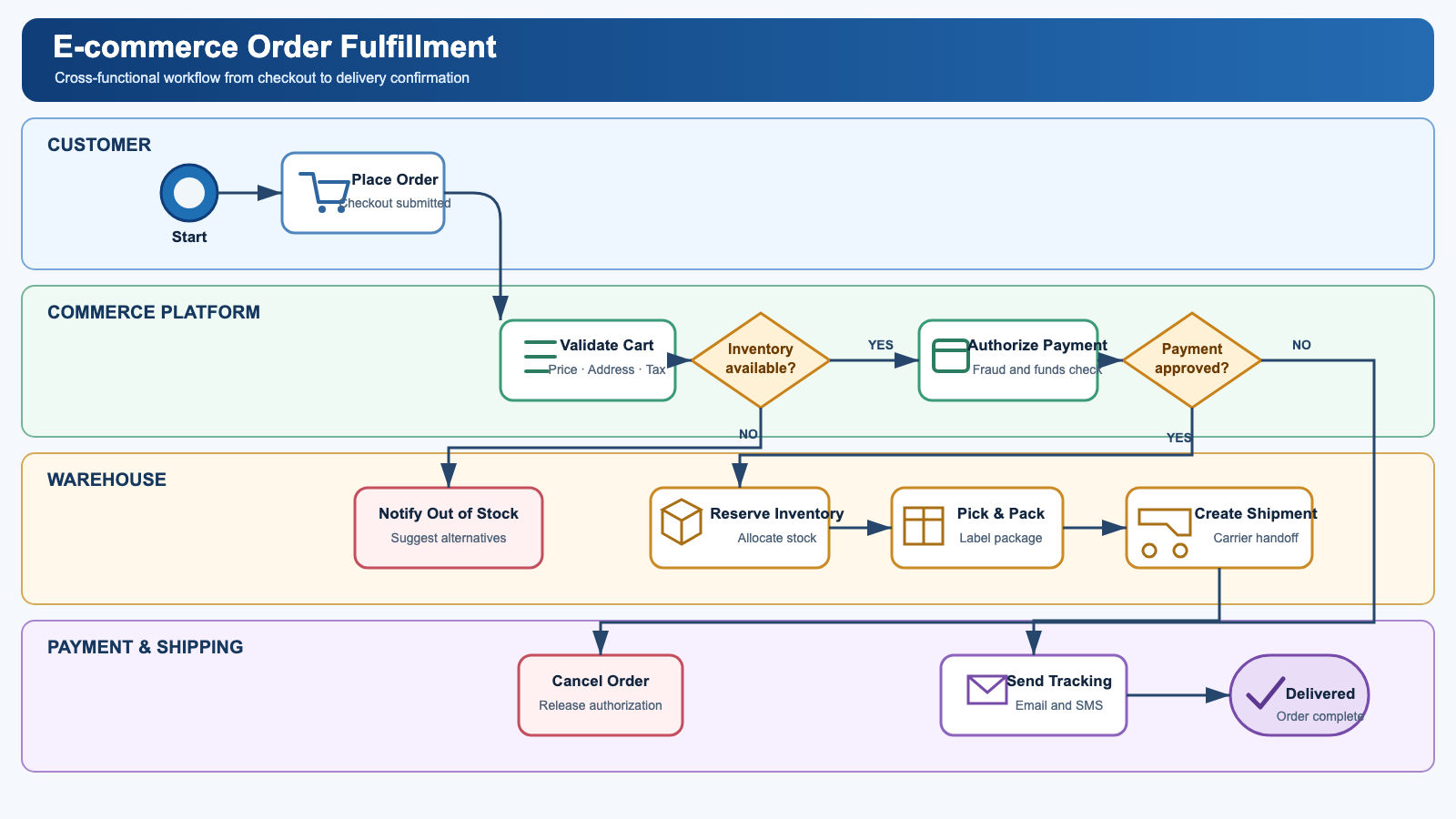
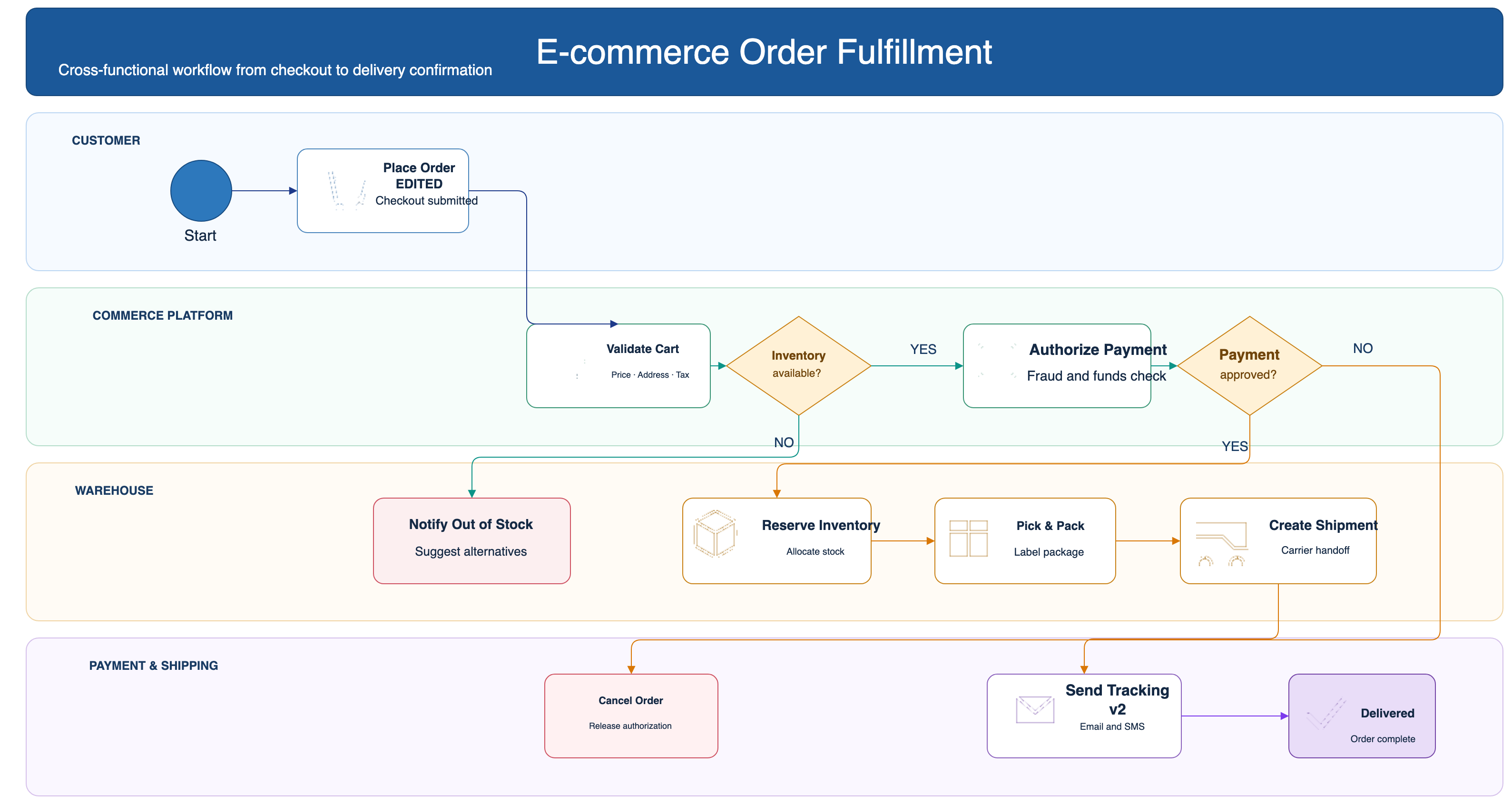
Before / after: real conversion, not a screenshot in a box

Original diagram image
Input: a flat image
Converted, fully editable VSDX file
Output: native shapes, live connectors, editable text (VSDX)

Frequently asked questions

Is it actually possible to get editable Visio shapes from an image?

Yes. Generic "PNG to VSDX" converters only embed your picture inside a Visio file, which is why the result is not editable. LayerBack rebuilds every shape, connector, and label as a native Visio object instead of embedding the image — so the VSDX you download behaves like a diagram drawn in Visio.

Is it free?

Your first 2 conversions are free — every new account starts with 20 credits and a conversion costs 10. No credit card required.

Is the output really editable?

Yes. Shapes are native objects, connectors have real endpoints bound to shapes, and text is regular text — open the VSDX file and change anything.

What image formats can I upload?

PNG, JPEG, and WebP up to 20 MB. Screenshots work great.

How long does a conversion take?

Usually 30–60 seconds. AI reads the diagram and rebuilds it as a native, structured file.

What else do I get with the conversion?

Every conversion also produces the other formats (VSDX, PPTX, draw.io XML, SVG) at no extra cost, and you can fine-tune the result in the built-in online editor before downloading.