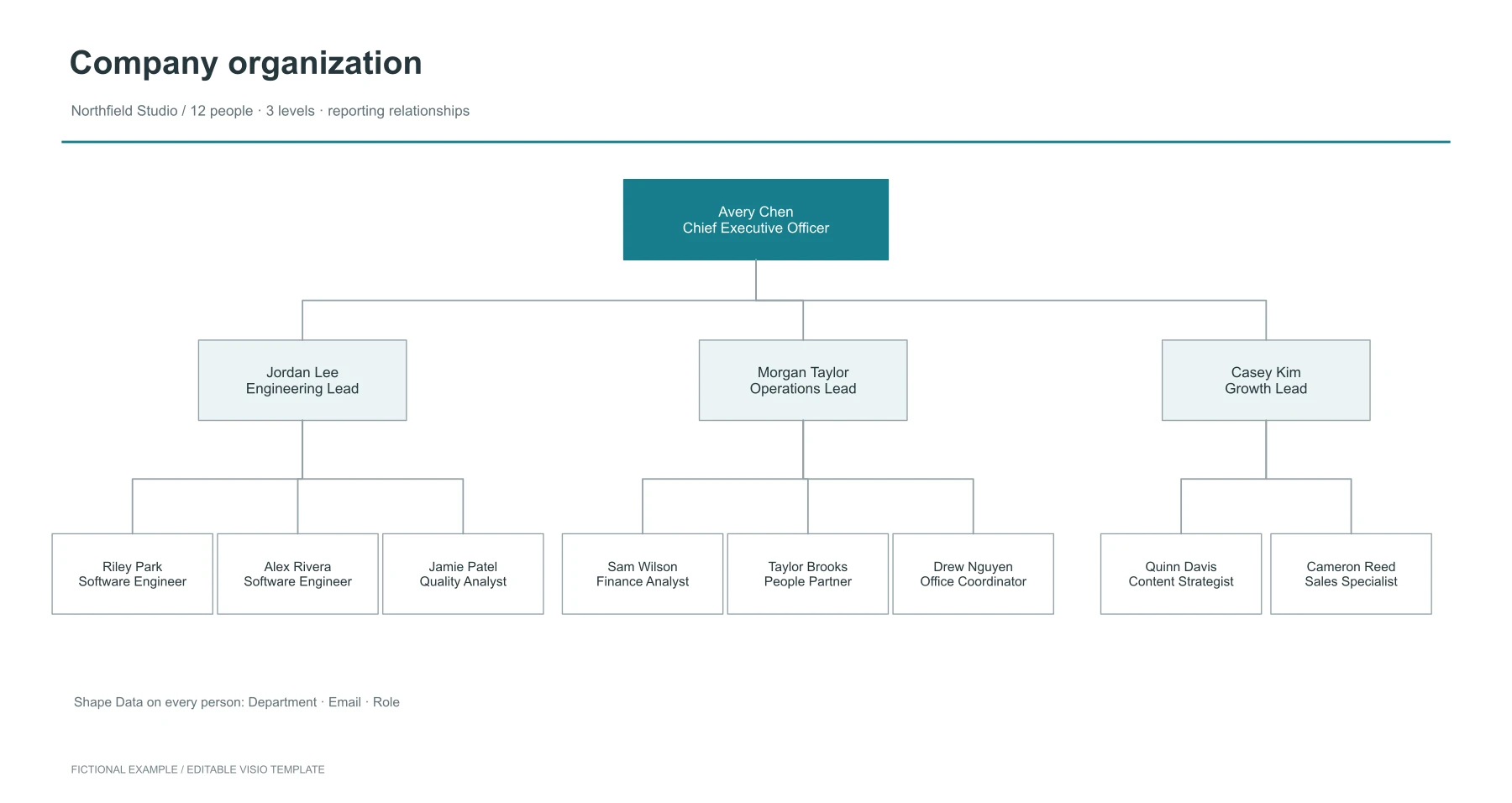
Company organization chart
Plan reporting lines for a fictional 12-person company. Each person includes editable Department, Email and Role Shape Data.
1 page(s) · 28 shapes · 11 connectorsIncludes Shape Data
Download original Visio templates with native, editable shapes and connectors, or preview them in the LayerBack viewer before you start. All names, organizations and scenarios are fictional examples.
Plan reporting lines for a fictional 12-person company. Each person includes editable Department, Email and Role Shape Data.
1 page(s) · 28 shapes · 11 connectorsIncludes Shape Data
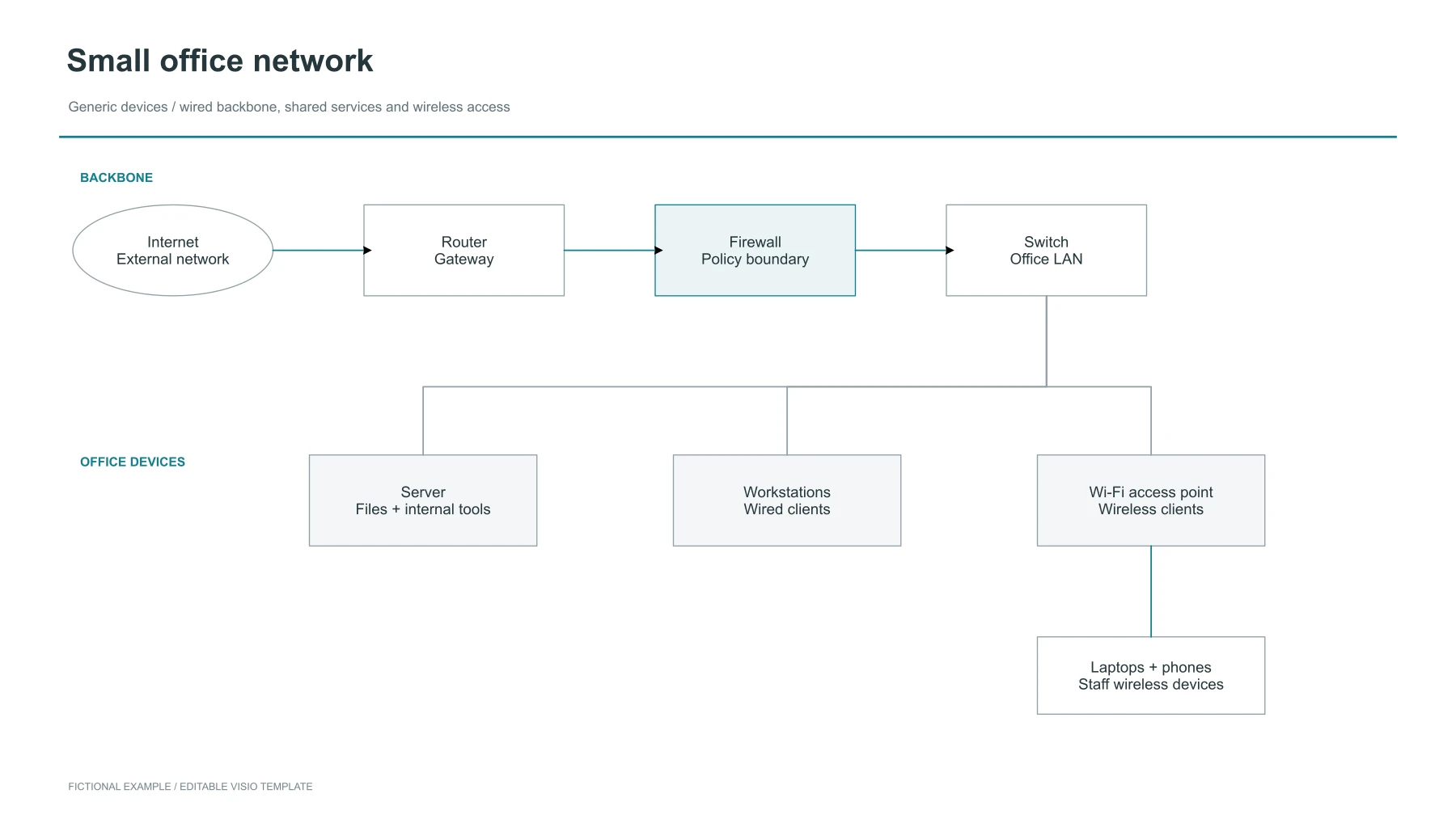
Document a small office network with generic router, firewall, switch, server, workstations and Wi-Fi devices.
1 page(s) · 21 shapes · 7 connectors
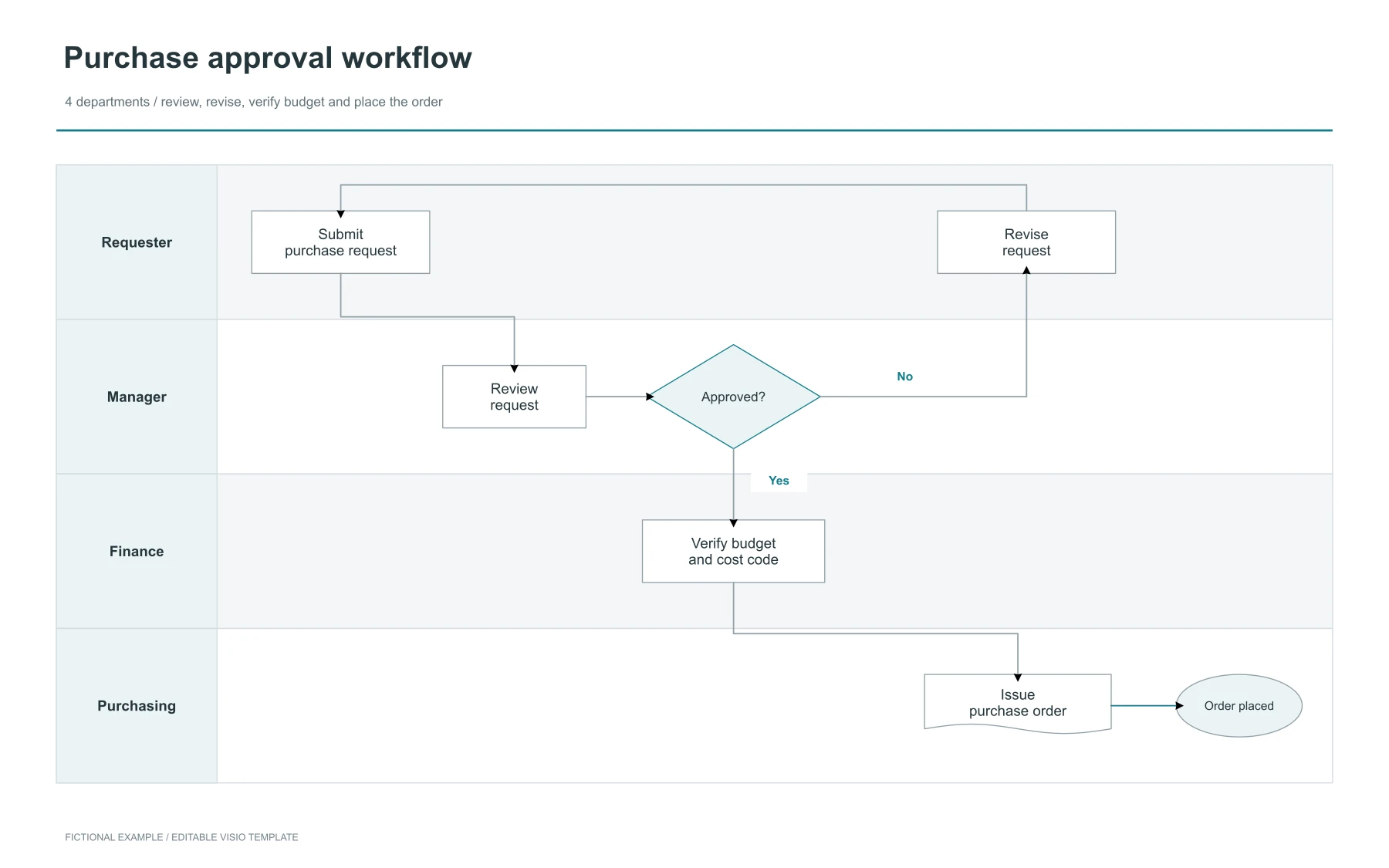
Clarify purchase-request handoffs across Requester, Manager, Finance and Purchasing, including an approval and revision branch.
1 page(s) · 28 shapes · 7 connectors
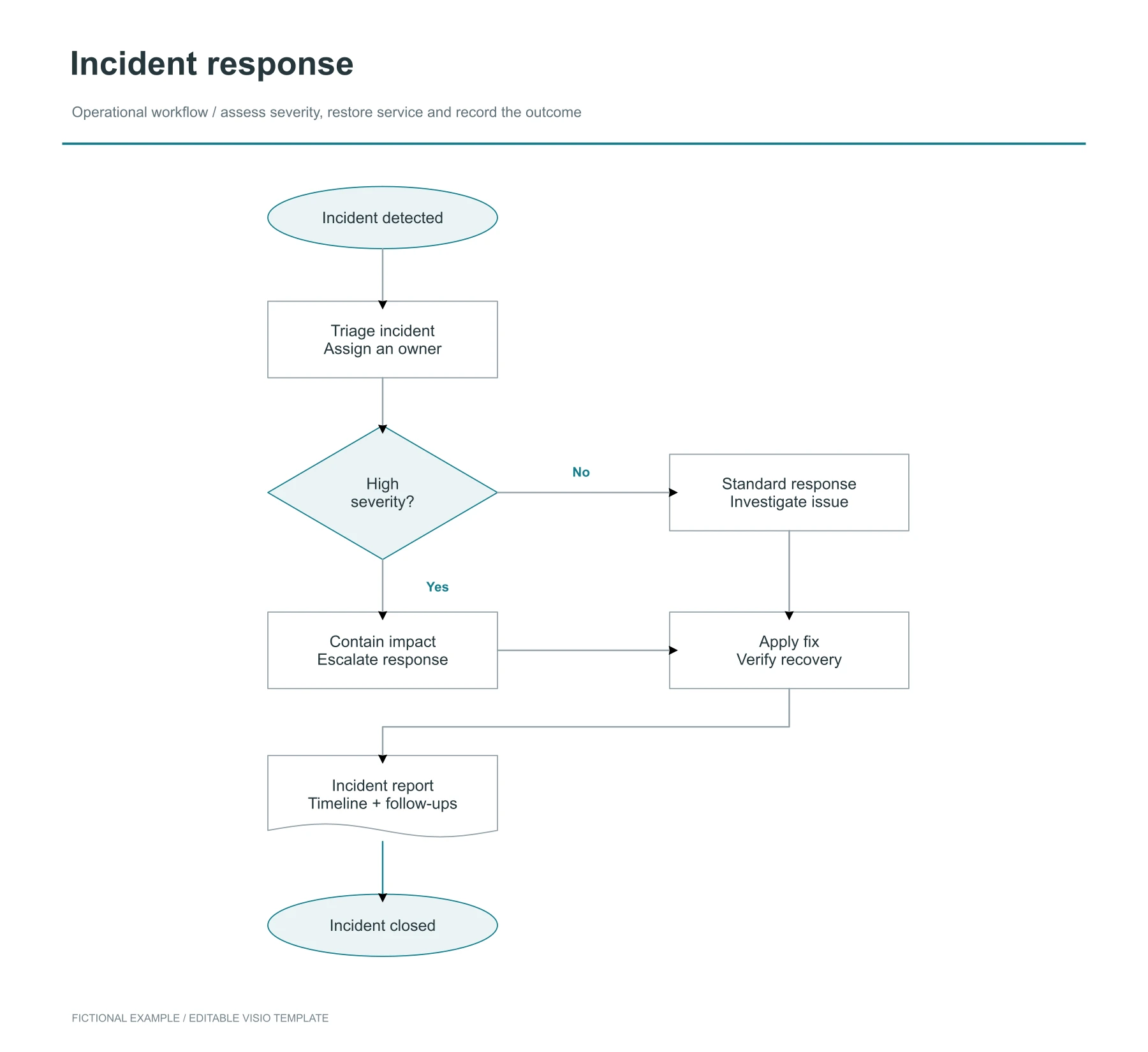
Map incident triage, severity decisions, recovery and reporting using editable process, decision, document and terminator shapes.
1 page(s) · 22 shapes · 8 connectors
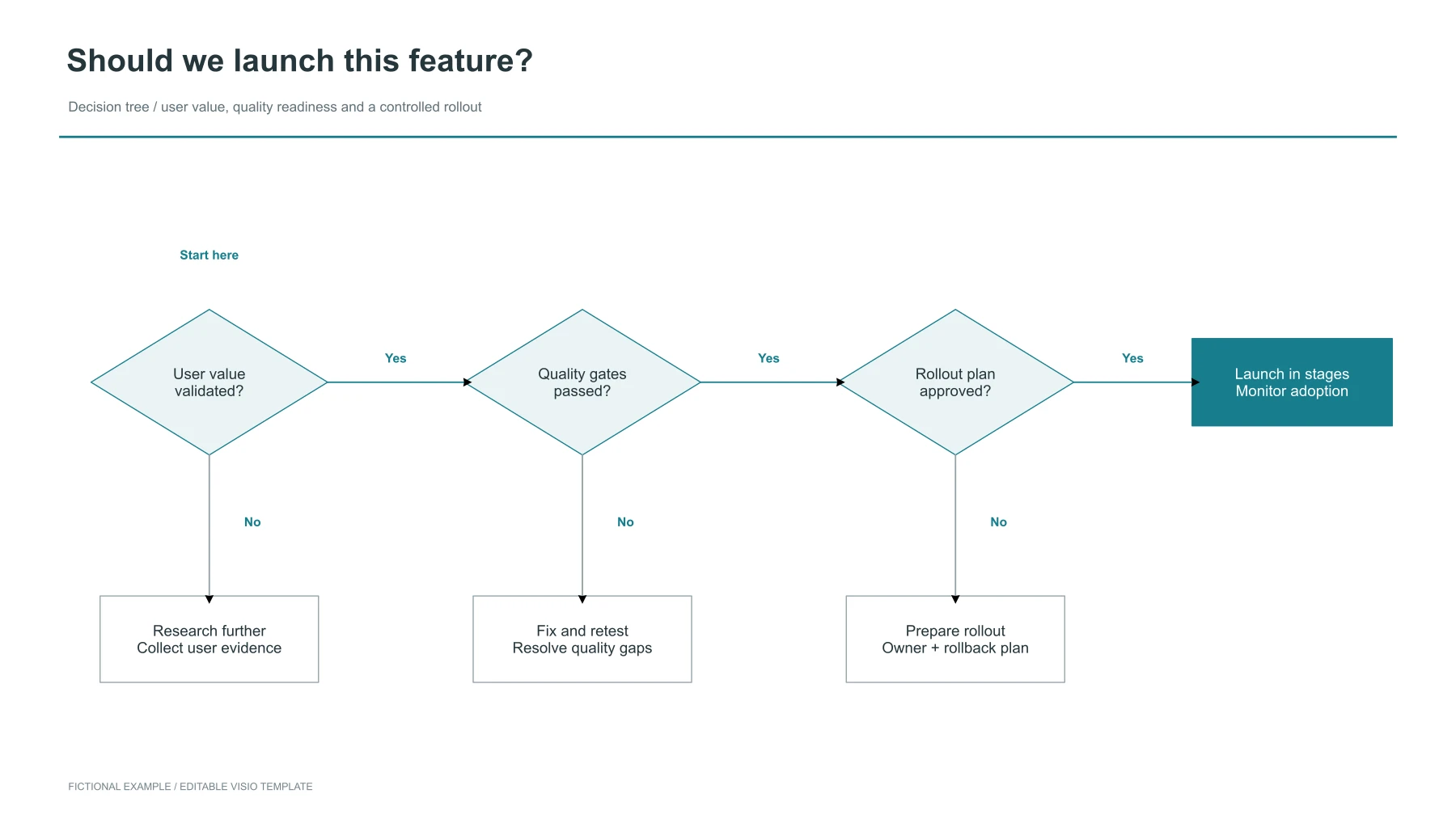
Assess a feature launch against validated user value, quality gates and rollout readiness. Each unmet gate leads to a concrete next action.
1 page(s) · 24 shapes · 6 connectors
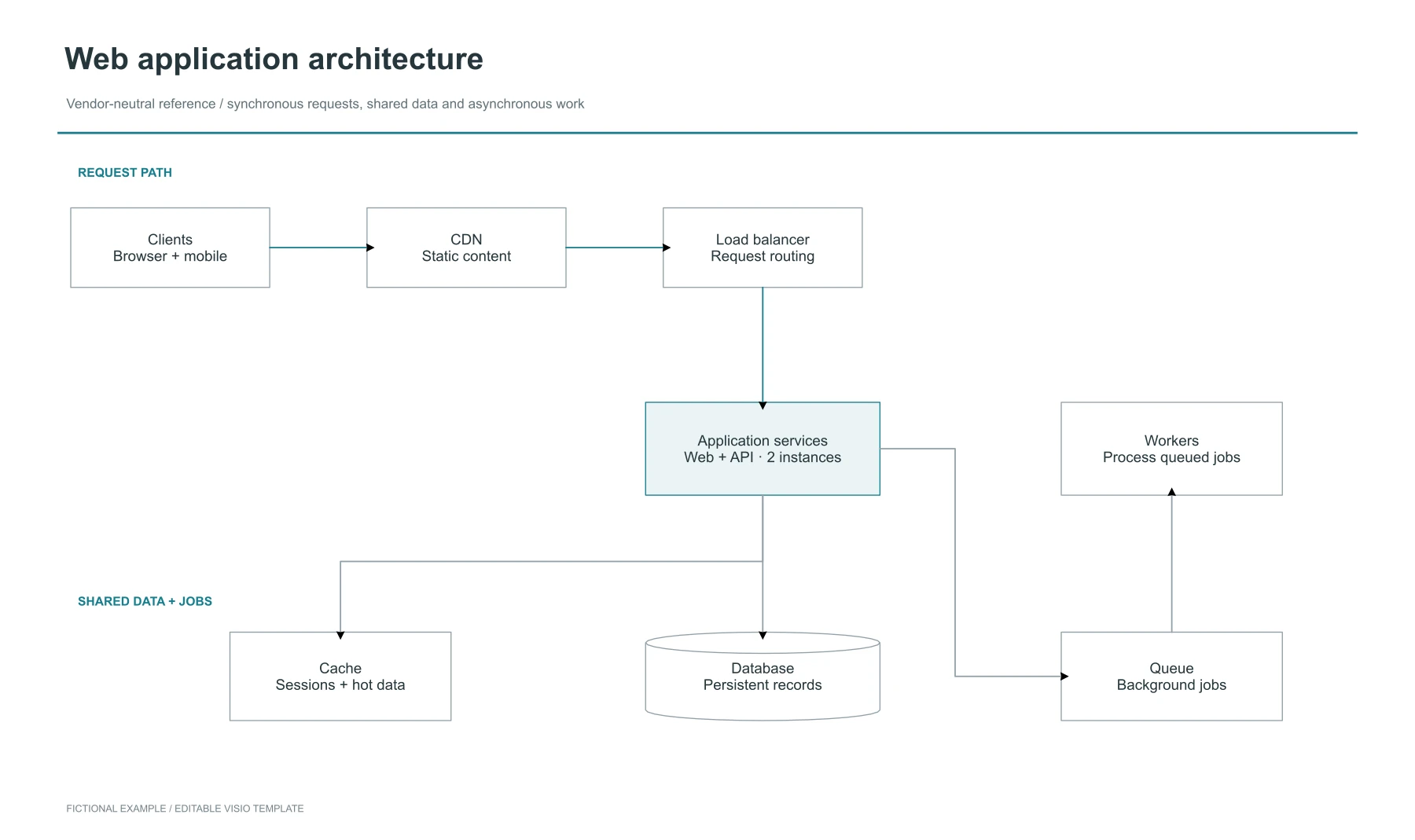
Explain a vendor-neutral web application with clients, CDN, load balancing, application services, cache, database, queue and workers.
1 page(s) · 21 shapes · 7 connectors
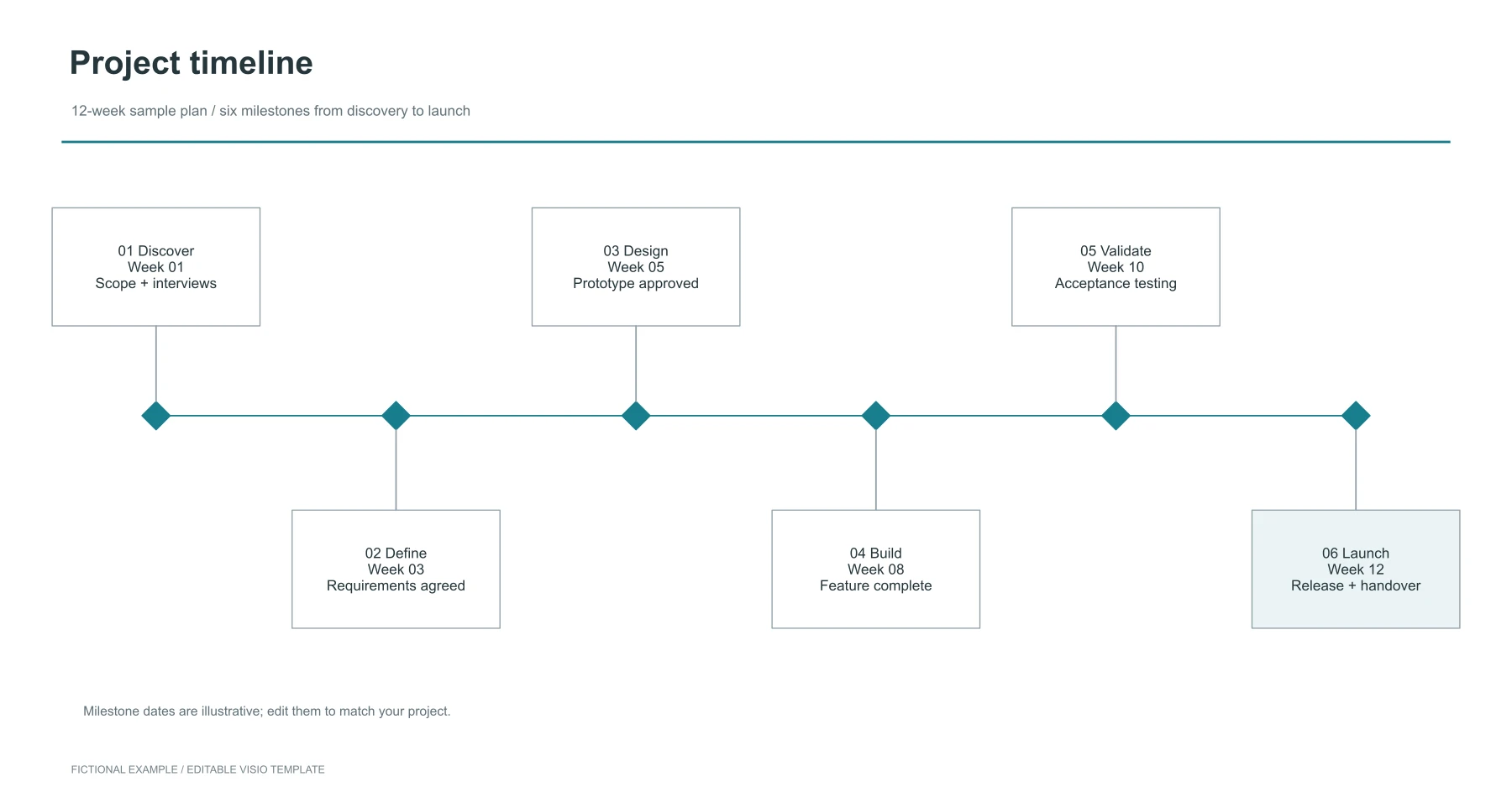
Adapt a 12-week project roadmap with six editable milestones, from discovery to launch.
1 page(s) · 28 shapes · 11 connectors
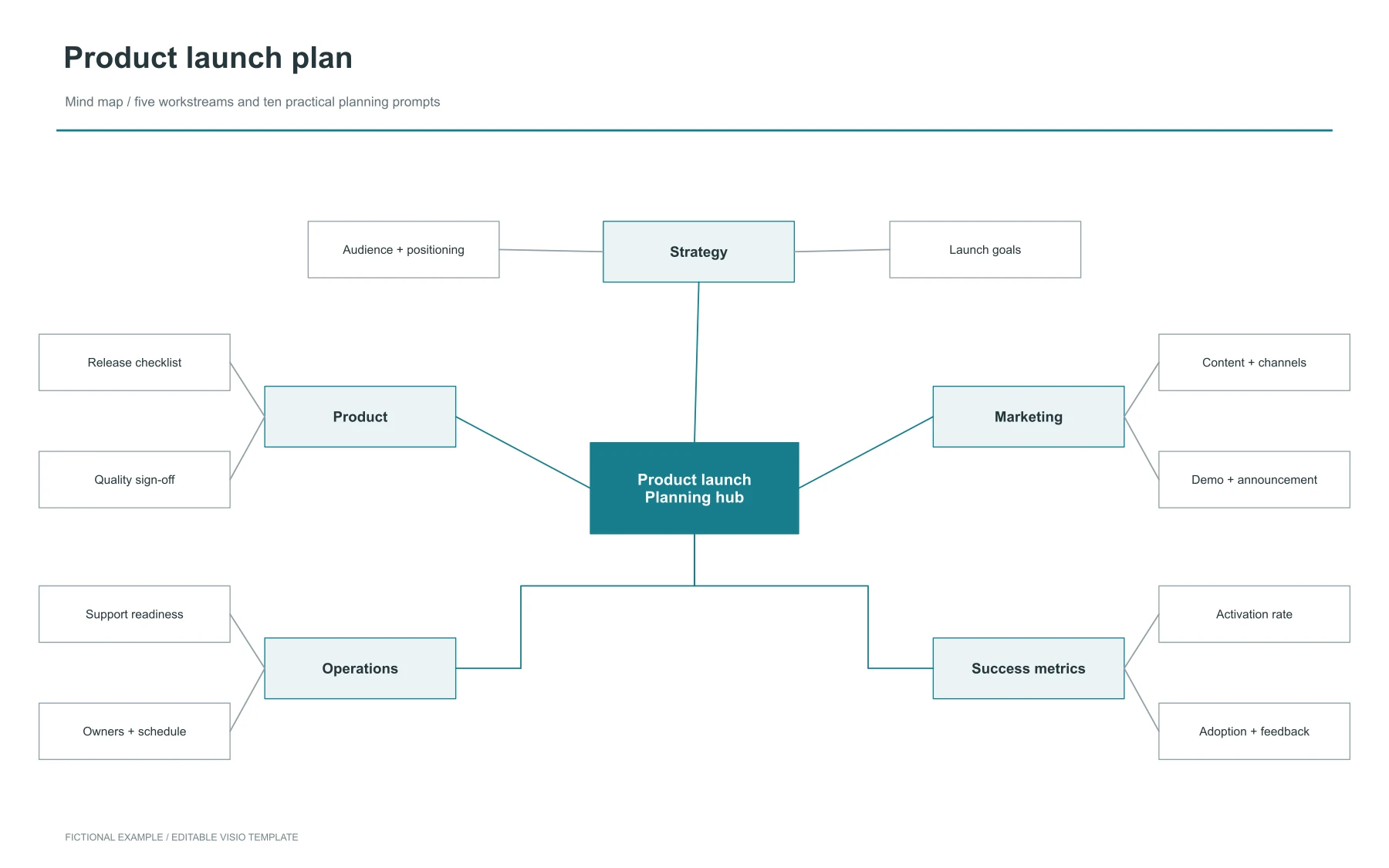
Organize a product launch around five workstreams and ten planning prompts, with editable branches and glued connectors.
1 page(s) · 35 shapes · 15 connectors
Yes. You can download these original VSDX files for free without an account. The template downloads do not use conversion credits.
Yes. These are our own original files, and we permit free use, modification and reuse for personal and commercial purposes. Replace the fictional example names and details with your own content.
Choose Open in viewer to open a template in LayerBack directly in your browser. You can also import the downloaded file into draw.io or open it in LibreOffice Draw; the layout may vary by application.
The VSDX downloads contain native shapes, text and connectors that you can edit. The preview images are only illustrations of the templates. The organization chart also includes Shape Data for departments, email addresses and roles.
Yes. Use the browser viewer to preview them, or import the VSDX into draw.io to edit it on a Mac. Review imported shapes and connector placement before exporting.
Turn a diagram screenshot or image into an editable Visio file with shapes, connectors and text.
Convert an image to Visio